Junie doesn't appear in Tool Windows

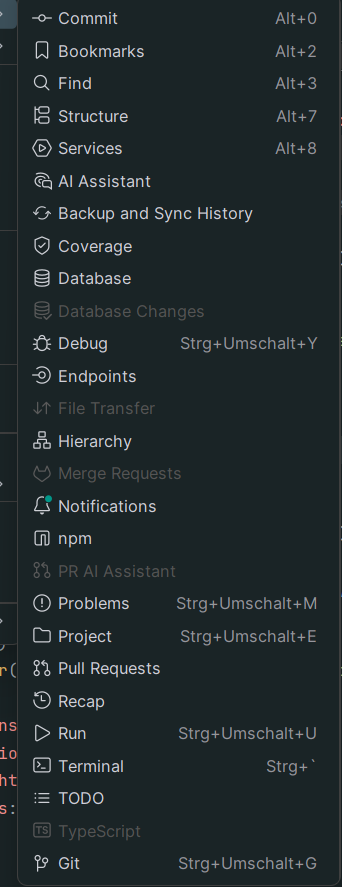
I accidentally clicked 'Hide' on the Junie Icon in the right Sidebar, as I tried to unhide it I went to View→Tool Windows→ and there wasn't an option for Junie… So please someone tell me how to unhide it again, this was not an issue for other tools like 'Database' and even re-installing Junie did not work.
Please sign in to leave a comment.
For some reason it works in IntelliJ…
Thank you for contacting us. I tried to reproduce the issue on my side using WebStorm, but it seems that on my side everything works fine and after hiding Junie I could bring it back. Could you please provide more details what is the IDE and Junie versions that you are using?
Regards,
Junie Support Team
same problem with intellij 2025.2.3 accidentally clicked 'Hide' on the Junie Icon in the right Sidebar
Apparently is not a bug but a design choice on 2025.3 if you hit CMD + O (macos) and go to the actions section, look for Junie, and hit the right action. It'll take you to the chat AI interface, with Junie selected as an agent. If you downgrade to 2025.2 and do the same you'll get the “classic” Junie window on a separate window as the experience on 2025.2 was not integrated in a single chat but available as a separate window.
Options, use Junie from the AI chat interface or downgrade to 2025.2, and follow the steps I mentioned to get the Junie window back. All IDE's.
Axelsantacruzr
Thank you, this worked!
But another weird thing that I noticed, with the new “all-in-one” AI Chat, it says that I have reached my free-plan limit but with the seperate Junie window it works completely fine…
So why does the all-in-one Junie always responds with HTTP Code 477?
Solve this problem by adding Keymap for Junie chat in Toolwindows. That magically return Junie Pro to the right corner.