Git worktree weirdness - opening worktree copy doesn't show git branch information in pycharm

We have a monorepo with multiple projects. My workflow is that I clone the repo and then create a worktree for the branch I need to work on and then I open the project that I want to work on in pycharm in that worktree.
To explain, here is the structure of the monorepo:
my_monorepo/
    +- component_a/   #(poetry project)
    |      +- src/
    |      +- ... (etc)
    +- component_b/   #(poetry project)
           +- src/
           +- ... (etc)
…and here is my workflow:
cd myworkdir
git clone git@gitlab.mycompany.com:my_monorepo.git
cd my_monorepo
# now I'm in my_monorepo and the main branch is checked out

# Now create a directory for my worktrees
mkdir .worktrees
# ... and add a worktree on a branch called my_branch
git worktree add .worktrees/my_branch my_branch

# Next go to the newly created worktree
cd .worktrees/my_branch

# And finally open component_a with pycharm
pycharm component_a
When PyCharm starts, it opens the project just fine but it doesn't detect the correct VCS. The project information (in the top left corner) just looks like this (note that it just says “Version control” where the branch name should be):
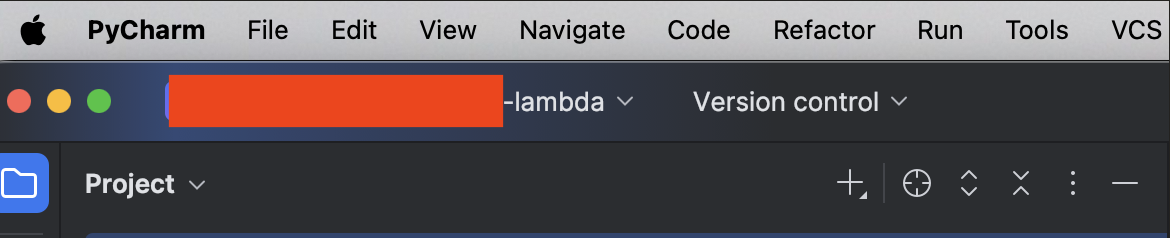
In order to fix this, I need to go to Settings → Version Control → Directory Mappings and manually add the “worktree monorepo root” directory (so myworkdir/my_monorepo/.worktrees/my_branch in the example above). When I do that, the VCS information changes and I see the correct branch information in the top left of PyCharm.
But having to do this for every branch I check out is annoying to say the least.
I have tried deleting all cache from PyCharm, deleting the .idea directory in the project directory, updating PyCharm to the latest version and nothing helps.
I should note that if I start PyCharm from the original repository directory (so the repository that I cloned, not the worktree), everything works fine and I see the main branch and all git information in PyCharm automatically. It just doesn't work for my worktrees :(
I should also note that I have tried to keep my worktrees in a hidden directory within the cloned repo (so like I did in the example above, myworkdir/my_monorepo/.worktrees/my_branch), but I've also tried having the worktree checked out in a sibling directory (so I have myworkdir/my_monorepo/ and myworkdir/my_monorepo_workdir_mybranch). These exercises don't make any difference either.
I may be going out of my mind here but I'm almost certain that this was working until very recently… but I have no idea what changed.
Is there anything else I can try? I'm wondering whether there are any settings that I can clear out that might be causing this?
Please sign in to leave a comment.
Hi Stefan Freyr, from my testing, it appears that this happens because your
worktreesfolder name starts with a.:Could you try creating a new folder without the leading
.and check whether the correct branch is shown?yup… that was it!
Thanks Petar Milunovic, I'll use
_worktrees/from now on… but this is quite annoying though… I really would have liked to use a hidden directory for this :-/Stefan Freyr, thanks for the confirmation. I have opened a new bug report, IJPL-238060. Please consider following this ticket to get notified about any progress.