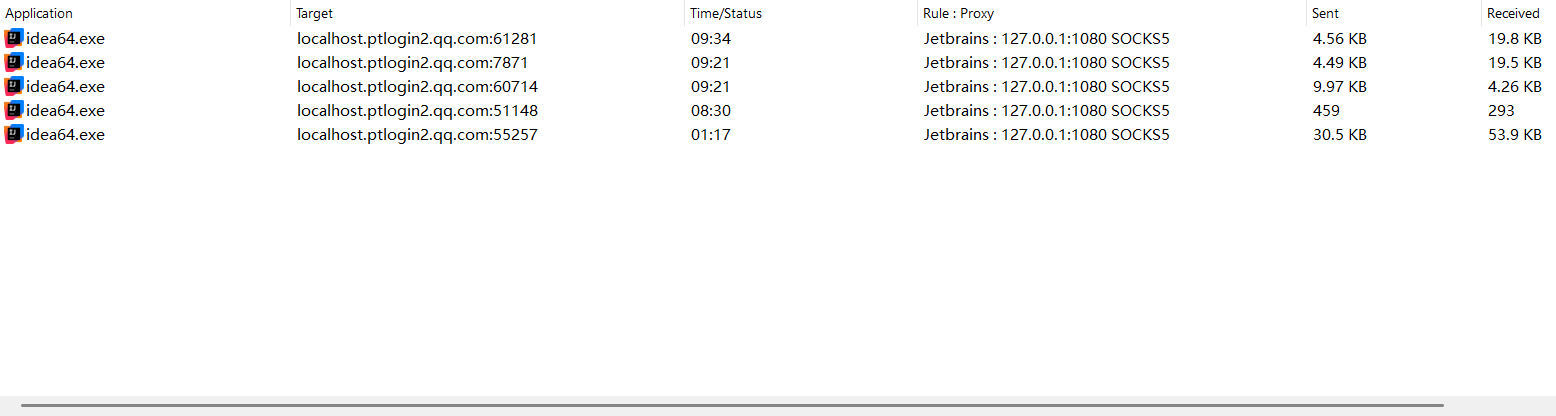
why jetbrains idea 2026.1 always connect to Tencent's domain localhost.ptlogin2.qq.com?
Answered

I'm supervise Idea 2026.1 network connection, it is always connect to localhost.ptlogin2.qq.com? why? Is this sending my usage analysis to Tencent?
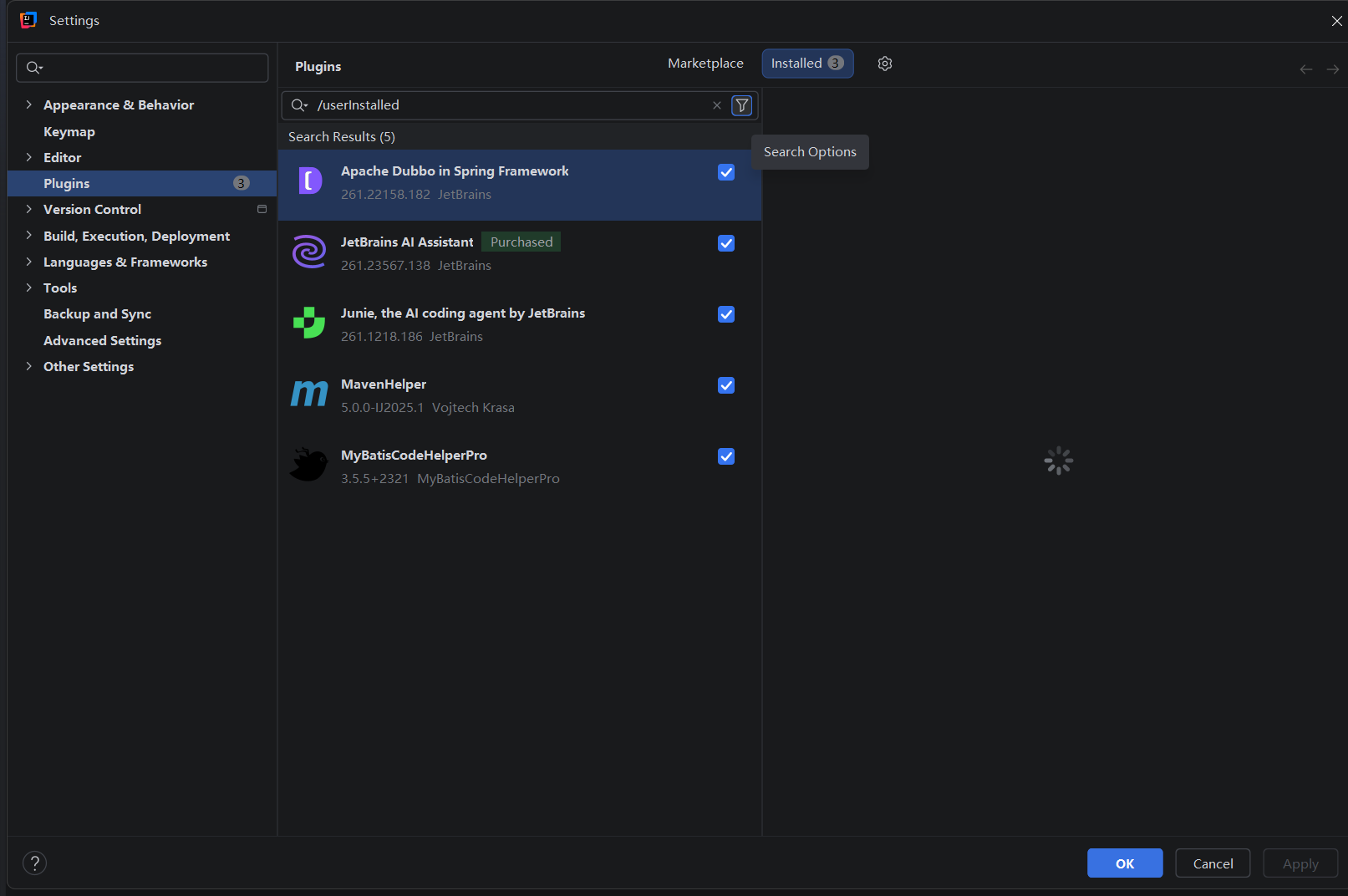
this is user installed plugin:
Please sign in to leave a comment.
Hello 727261250
Based on what I can see in the image you shared, this does not look like IntelliJ IDEA 2026.1 sending JetBrains usage analytics to Tencent.
The connection in your screenshot
ptlogin2.qq.comis associated with QQ/Tencent login-related services, and thelocalhost.ptlogin2.qq.compattern is commonly used for local quick-login/proxy communication rather than standard JetBrains product telemetry.From the installed plugins shown in your screenshot, the most likely third-party candidate is MyBatisCodeHelperPro. This is not a JetBrains plugin, and its Marketplace page references Chinese documentation and a QQ group. Because of that, it is a much stronger suspect.
At this point, my recommendation is:
localhost.ptlogin2.qq.comstill appears.If the traffic disappears after disabling that plugin, then the behavior is coming from the plugin rather than from IntelliJ IDEA itself.
If you keep seeing the connection, please also try starting the IDE with all third-party plugins disabled. go to Settings | Plugins | ⚙ | Disable all downloaded plugins, and click the OK button. Verify if the issue persists. If it's resolved, then start enabling the plugins one by one to find the problematic one.