Can I used Macros in the run
Answered

Hi,
I think in the past it was possible to use variables or macros in the run dialog. I would like to avoid to use absolute paths in my run configurations. Is there a way to achive this?
Please sign in to leave a comment.
Yes, this is supported. There are two separate mechanisms depending on which field you're working with.
Working directory
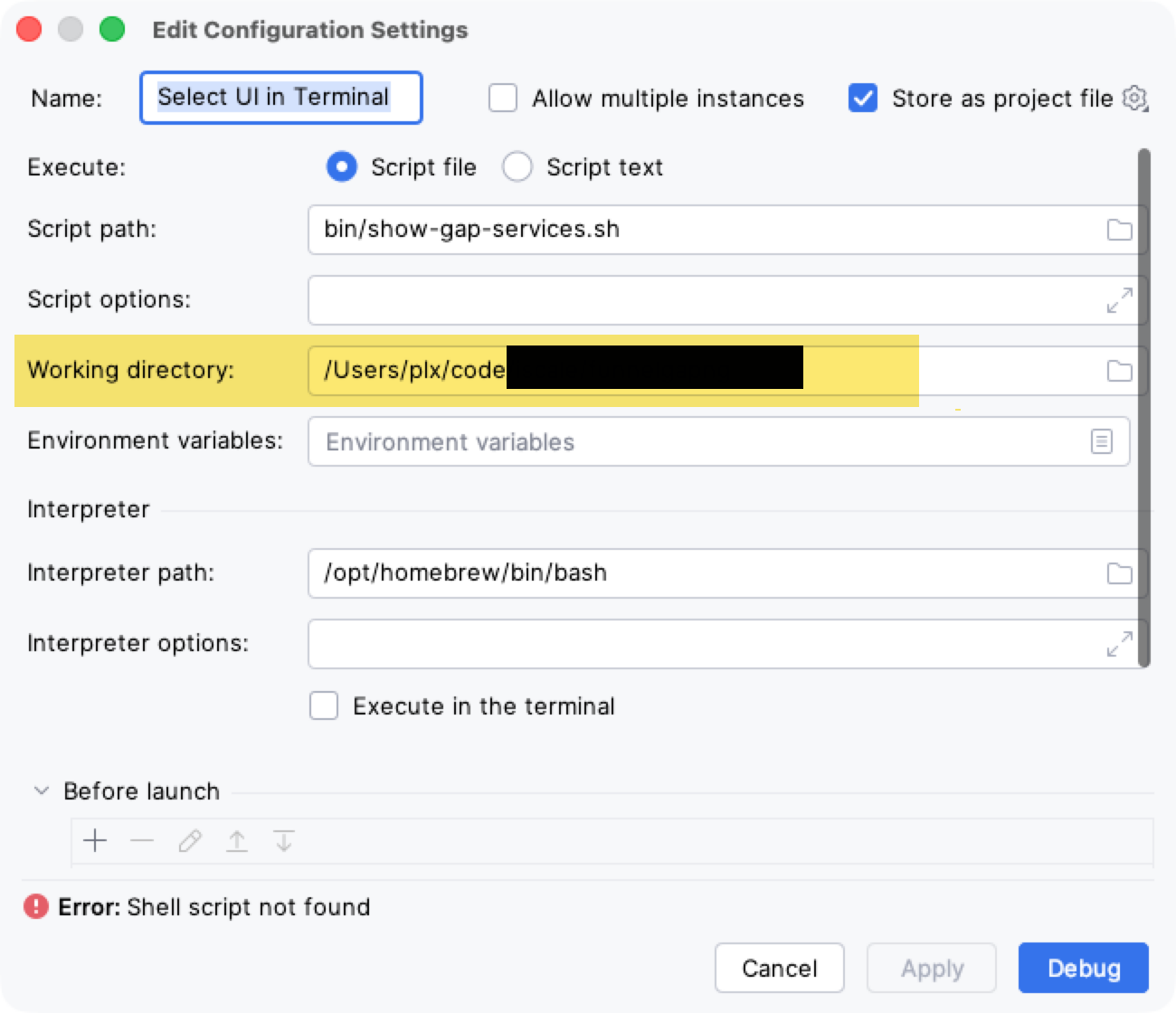
The working directory field supports built-in macros. Click the folder icon next to the field to open the macro chooser, where you can pick from options like `$MODULE_DIR$`, `$PROJECT_DIR$`, `$USER_HOME$`, and others. You can also type them in directly.
VM options and program arguments
These fields support user-defined path variables. To use one:
1. Go to Settings | Appearance & Behavior | Path Variables
2. Add a new variable, e.g. `MY_CONFIG_DIR` with the value `/your/path`
3. Reference it in the run configuration as `$MY_CONFIG_DIR$`
The `$VAR$` syntax (dollar signs on both sides) is what the IDE looks for — it won't expand `${VAR}` style placeholders.
Hi Bond Han,
What do I miss?
Oliver B. Fischer Hi, I should have been clearer in my earlier reply — the macro support I described applies to the Working directory field and a few others, but not to the Script path field in Shell Script run configurations. That field doesn't have the "Insert Macros" button, and typing `$PROJECT_DIR$` in it directly won't expand the way you'd expect.
This has been requested before and is tracked here: https://youtrack.jetbrains.com/issue/IJPL-103033
Feel free to vote and watch that issue to stay updated.
What you can do right now: set the Working directory to `$PROJECT_DIR$` (that field does support macros), and then put just the relative path in Script path, like `scripts/my-script.sh`. The IDE will resolve it against the working directory, so the run configuration stays portable when shared through VCS.