Can't start new project
Answered

When i try create new java project without templates i can't create class Main.
I got error:
Unable to parse template "Class"
Error message: Cannot create class-file
How it looks:
When i try create new java project using checkbox "Create project from template"
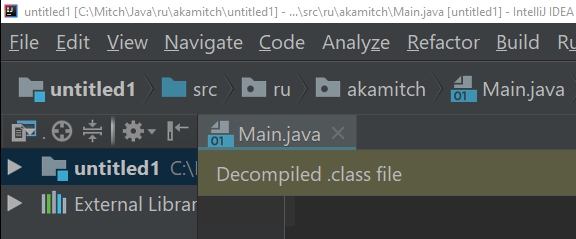
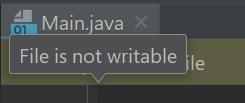
File Main.java if created, but empty, and not writable.
Also i see hint "Decompiled .class file"
When i try edit:
I use windows10, installed IDEA around one week ago, updated today.
Newer used it before.
What i'm doing wrong?
Please sign in to leave a comment.
Try to delete config directory to start with the default settings (https://intellij-support.jetbrains.com/hc/articles/206544519). It looks like file types are configured incorrectly and the default templates are corrupted.
Great, problem solved!
Thanks Serge! This solved my issue one of my co-workers has this issue with Rider as well so we'll test out this solution for that too.