getting image resource with GUI designer
Answered

I am trying to figure out something trivial such as adding a resource image file such as a QR Code. How would i go about that in the GUI Designer tool?
i added the JLabel line of code
private JLabel lblQRCode;
public Pconfirm(){
    lblQRCode = new JLabel(new ImageIcon("MyQRCode.jpg"));
}
but when i run it it shows nothing.
I have the JLabel in the GUI designer inside a panel.
Please sign in to leave a comment.
Could you please share the complete project? https://intellij-support.jetbrains.com/hc/articles/206869619.
It's not clear how the label is used in your form and if it's initialized by the GUI designer and where the image resource is located in the project.
i was able to get it working right. i was using the wrong extension :S
But i am trying to "zoom it up" given that the image is 41x41 it is hard to scan but i want it to zoom up to something like 200x200. This is the code i got.
ImageIcon imageIcon = new ImageIcon("MyQRCode.png"); // load the image to a imageIconImage image = imageIcon.getImage(); // transform it
Image newimg = image.getScaledInstance(200, 200, java.awt.Image.SCALE_SMOOTH); // scale it the smooth way
imageIcon = new ImageIcon(newimg); // transform it back
lblQRCode = new JLabel(imageIcon);
General programming questions that are not specific to IntelliJ IDEA are better asked at http://stackoverflow.com/.
disregard that i placed it in the wrong place.
Side note. the image looks like its faded.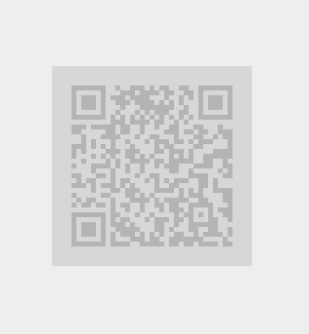 Im sure you know that qrcodes are darker then this. Is there a particular reason why its so faded?