Error during artifact deployment for Tomcat 9.0.4 for Spring 4 project
Answered

Created Spring 4 project with IntelliJ IDEA 2017.3.4 (Ultimate Edition) Build #IU-173.4548.28.
JRE: 1.8.0_152-release-1024-b11 amd64
JVM: OpenJDK 64-Bit Server VM by JetBrains s.r.o
Windows 7 6.1
Using Tomcat 9.0.4
Configured Tomcat server as shown in screenshot.
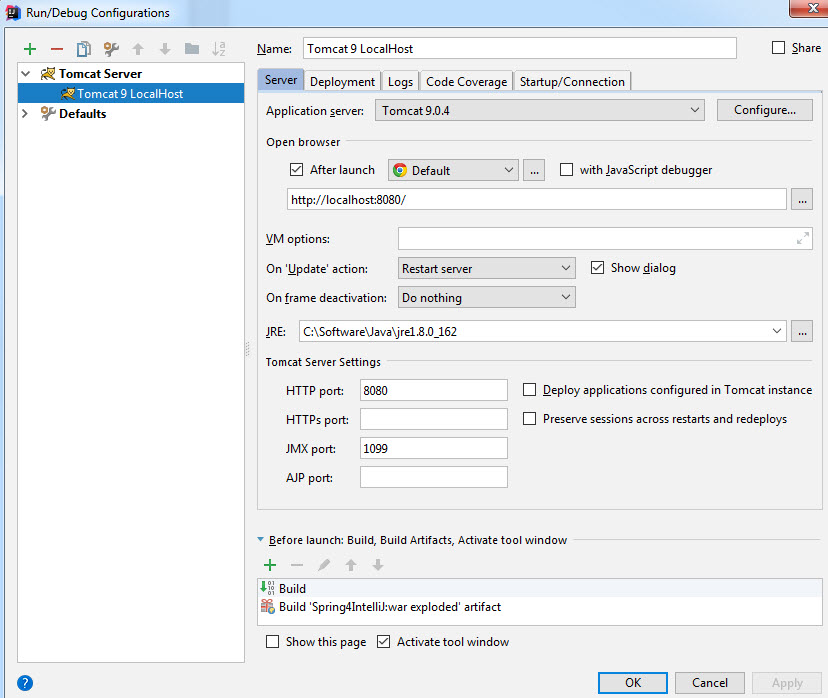
Artifact is see properly:
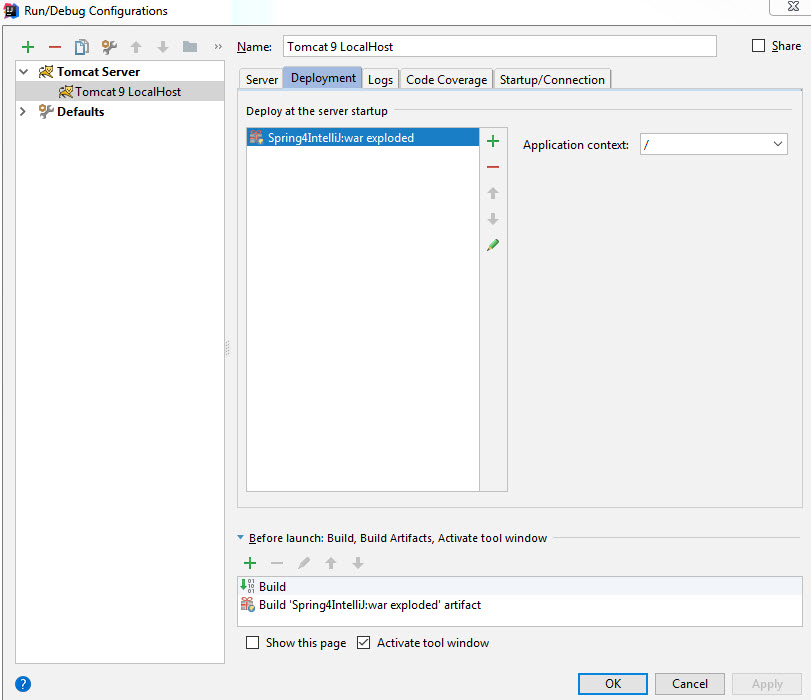
When the server is started, see “Error during artifact deployment”. See log details below:
Connected to server
[2018-02-08 10:37:40,379] Artifact Spring4IntelliJ:war exploded: Artifact is being deployed, please wait...
08-Feb-2018 10:37:40.725 SEVERE [RMI TCP Connection(3)-127.0.0.1] org.apache.catalina.core.StandardContext.startInternal One or more listeners failed to start. Full details will be found in the appropriate container log file
08-Feb-2018 10:37:40.727 SEVERE [RMI TCP Connection(3)-127.0.0.1] org.apache.catalina.core.StandardContext.startInternal Context [] startup failed due to previous errors
[2018-02-08 10:37:40,743] Artifact Spring4IntelliJ:war exploded: Error during artifact deployment. See server log for details.
08-Feb-2018 10:37:50.297 INFO [ContainerBackgroundProcessor[StandardEngine[Catalina]]] org.apache.catalina.startup.HostConfig.deployDirectory Deploying web application directory [C:\Software\apache-tomcat-9.0.4\webapps\manager]
08-Feb-2018 10:37:50.352 INFO [ContainerBackgroundProcessor[StandardEngine[Catalina]]] org.apache.catalina.startup.HostConfig.deployDirectory Deployment of web application directory [C:\Software\apache-tomcat-9.0.4\webapps\manager] has finished in [54] ms
Please sign in to leave a comment.
This log is not helpful, you should check the actual container logs as stated in the server log, see https://stackoverflow.com/a/45666862/104891.
OK, think I found the log. See this:
Note <folder> replaces company name.
Caused by: java.io.FileNotFoundException: C:\<folder>\Projects\Java8\Spring4IntelliJ\out\artifacts\Spring4IntelliJ_war_exploded\META-INF\context.xml
The system cannot find the file specified
See below:
No, this error is harmless and unrelated. You should check the server log as suggested above, not IntelliJ IDEA log.
No new logs are getting created in the folder C:\Software\apache-tomcat-9.0.4\logs. It is empty after running Tomcat in IntelliJ. Where else can the Tomcat logs reside?
OK found it:
Find the jar containing org.springframework.web.context.ContextLoaderListener class and make sure it's included in the artifact deployment: https://www.jetbrains.com/help/idea/artifacts.html.
Thank you so much. Your reply helped me lookup the easy fix
Solution: File > Project Structure > Artifacts, select the war exploded, in the Output Layout double click in right panel Available Elements which are Spring-4.3.14 & Spring MVC-4.3.14 > restarted Tomcat and all is well.
Thanks RickinLosAngles. It worked like a charm!
Agreed. Thank you!