Invalid Maven directory when switch Windows - Ubuntu same laptop

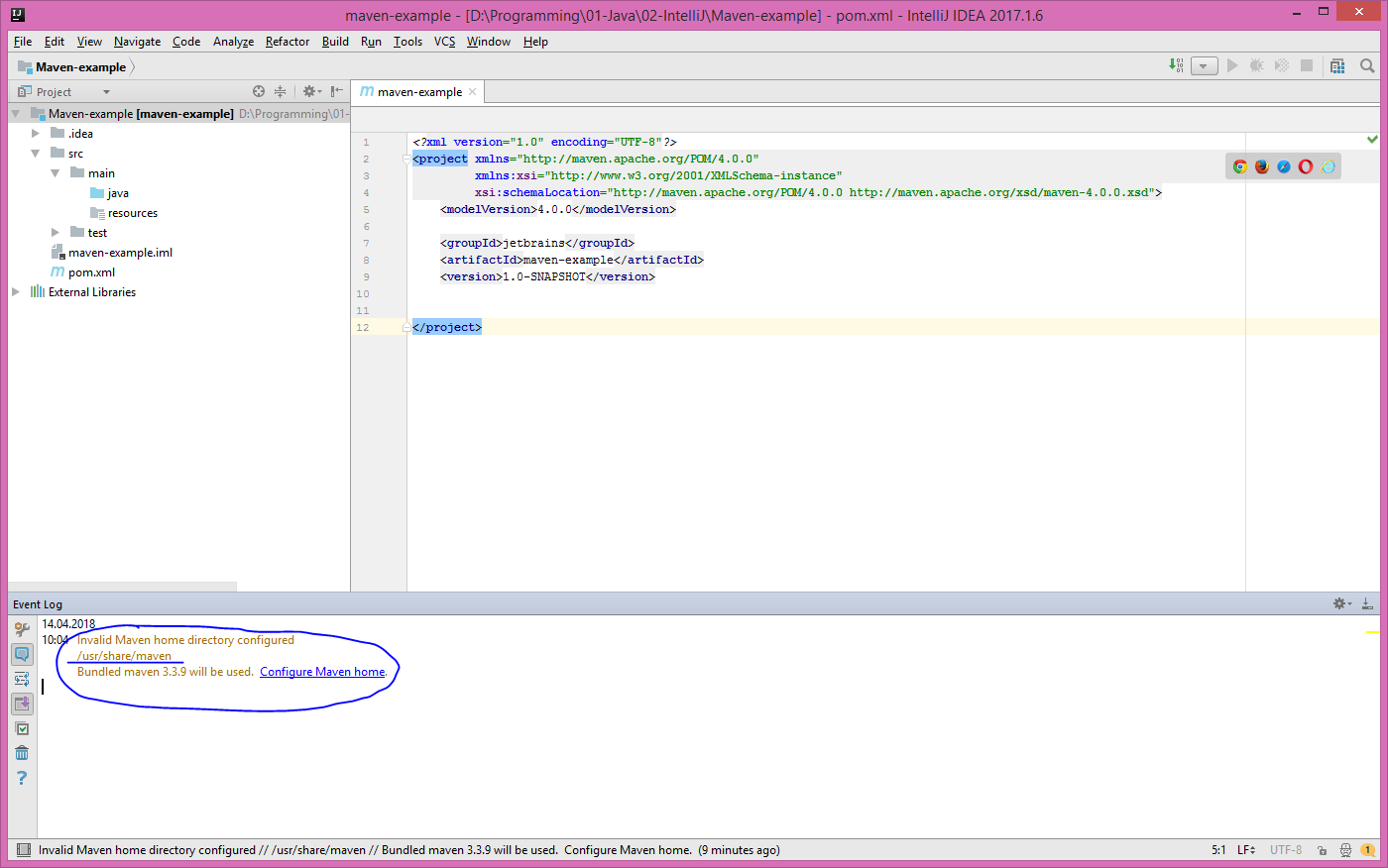
Hello guys, I have IntelliJ Idea Ultimate installed on both Windows 8.1 & Ubuntu 16.04 on the same laptop, but different partitions. If I'm using Windows and set up the maven directory to the installed one on Windows's local disk C, it works, but after I'll restart the computer on Ubuntu, when entering IntelliJ I get a notification saying Maven directory is invalid, because it somehow remains the one from Windows, despide I also have Maven installed on Ubuntu on a separate Ubuntu partition. Of course I can set the path for the Maven's location on Ubuntu, but I don't want to do this all the time I'm switching operating systems. I'm not sure, does these two IntelliJ's (the one from Windows & the other one from Ubuntu) communicates somehow? I'm not having problems using Tomcat, for instance, which I also have on both Windows & Ubuntu. Thanks and have a nice day!
Please sign in to leave a comment.
Hello,
Do you have "Sync Settings" plugin enabled?
How should I know that & how can I disable it on version 2017.1.5??
Please share idea.log ("Help | Show Log in...") after restarting IDE. You could use any online sharing service or our FTP: ftp://ftp.intellij.net/.uploads/