node undefined when trying to run electron...

I did not manage to run electron app properly with node configuration and tried to do this in various ways and read all posts related to this subject. I know that there are a lot of people like me which looking for a simple answer so maybe someone can help to solve this problem.
Node Interpreter: path_to_electron_inside_node_modules_folder_in_app
Working Directory: path_to_app
Javascript file: app/main.js
Application parameters: --remote-debugging-port=9222
When I run the app in webstorm using above configuration I have:
/home/mymoon/code/your_perfect_project/node_modules/.bin/electron /home/mymoon/code/your_perfect_project/app/main.js --remote-debugging-port=9222
/usr/bin/env: ‘node’: No such file or directory

Process finished with exit code 127
When I do the same command using the terminal in webstorm my electron app turning on properly. So how can I fix it?
Few things to mention:
- For now I'm using npm config to work normally on app but I'm not able to debug app using breakpoints (debug main and renderer processes)
- webstorm version 2018.1
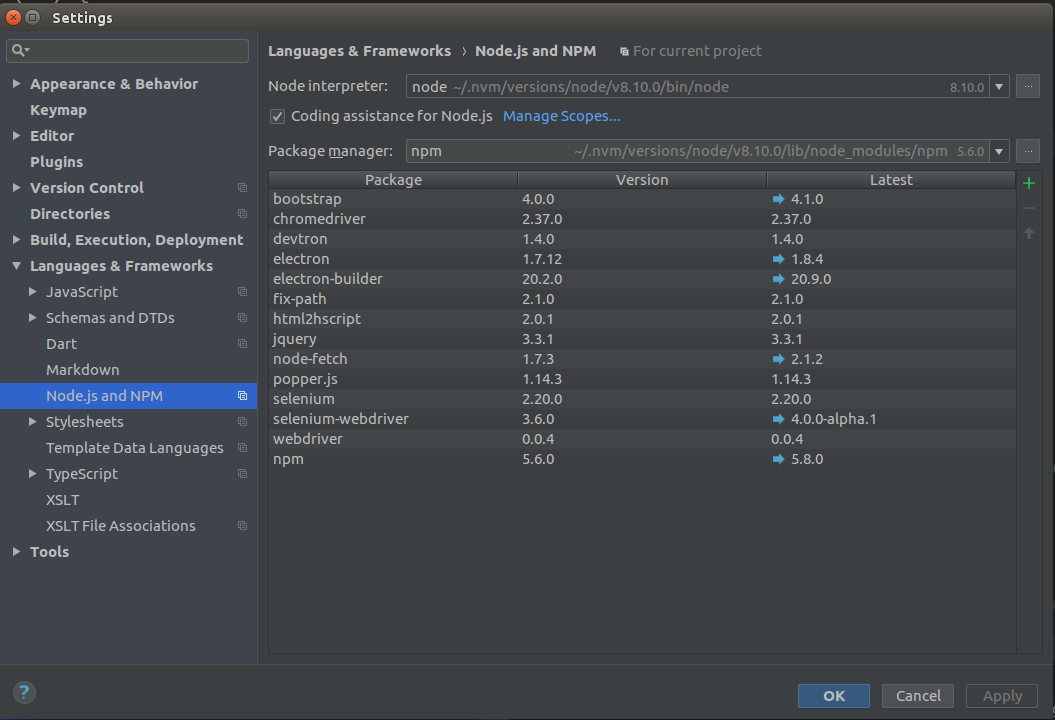
- my settings for nodejs and npm configuration:
Please sign in to leave a comment.
Looks like a
$PATHissue. Try running WebStorm in terminal usingwebstorm.sh- does the issue persist?You are right...it was $PATH issue...I was thinking about it and added whole $PATH to environment variables input in config environment yesterday and application ran properly but after your post, I removed $PATH variable from there and I opened webstorm using webstorm.sh and it also opened application properly. The question is...how to fix it? Did I installed webstorm in wrong way? I really want to open webstorm using desktop icon instead of using the script.
OK I found the solution...I have "zsh shell" and I added to `~/.zshrc` line which will export webstorm bin path to $PATH like this: `export PATH=$HOME/Desktop/WebStorm-173.4674.32/bin:$PATH` and now I'm able to open webstorm using gnome-do and desktop icon. HUURAY! Thank you so much for help Elena.
(I can't use "code" format in the edit comment editor because it want to use it on whole line instead of word so I used quotation marks")