Codeception in docker-compose does not work in phpstrom

I tried use codeception with my docker(docker-compose) on Mac
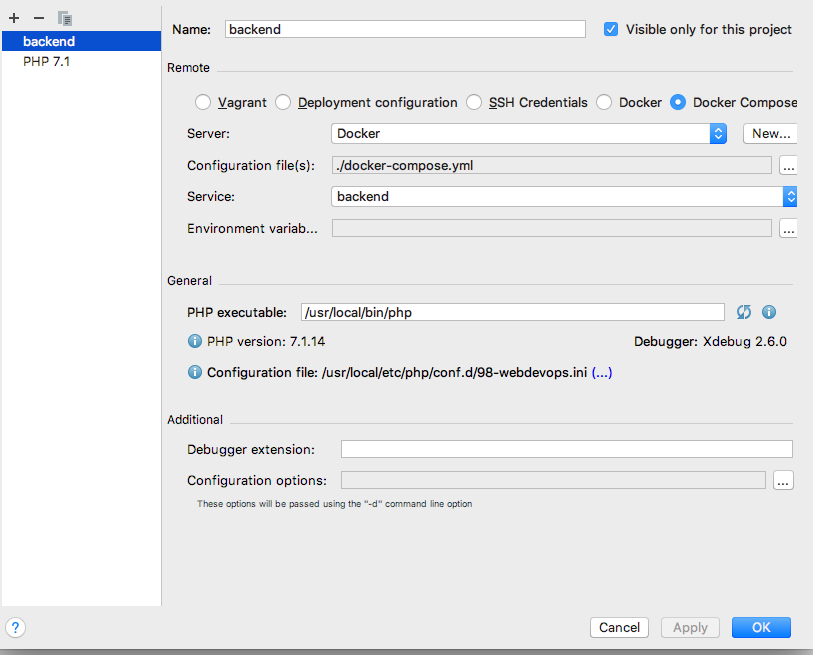
Remote interpreter settings:
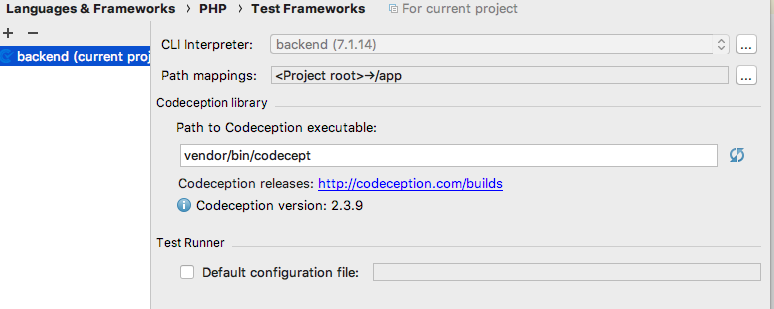
Codeception settings:
But when I try to launch my test I see this:
 And no more
My docker-compose file is:
version: '3'
services:
  frontend:
    build: ./build/docker/php/
    ports:
      - "8080:80"
    volumes:
      - .:/app
    environment:
      - WEB_DOCUMENT_ROOT=/app/frontend/web/
  backend:
    build: ./build/docker/php/
    ports:
      - "8081:80"
    volumes:
      - .:/app
    environment:
      - WEB_DOCUMENT_ROOT=/app/backend/web/
  api:
    build: ./build/docker/php/
    ports:
      - "8082:80"
    volumes:
      - .:/app
    environment:
      - WEB_DOCUMENT_ROOT=/app/api/web/
  static:
    build: ./build/docker/php/
    ports:
      - "8083:80"
    volumes:
      - .:/app
    environment:
      - WEB_DOCUMENT_ROOT=/app/static/
  db:
    image: mysql:5.5
    ports:
      - "33061:3306"
    volumes:
      - ./data/db:/var/lib/mysql
    restart: always
    environment:
      - MYSQL_DATABASE=yii2advanced
      - MYSQL_ALLOW_EMPTY_PASSWORD=yes
Please sign in to leave a comment.
Should have been fixed already in 2018.1.1: https://youtrack.jetbrains.com/issue/WI-41002
What version are you on?
My version is 2018.1, thanks for your comment, I'll try to update my phpstrom
Yea, the problem was fixed, after updating phpstorm. Thank you!