Cannot enable font ligatures [Solved]

Hello there,
I've been trying to enable font ligatures in WebStorm with no success. First of all, I have follow this guide https://intellij-support.jetbrains.com/hc/en-us/articles/206544879-Selecting-the-JDK-version-the-IDE-will-run-under in order to get JB SDK.
I have downloaded and installed it without problem.

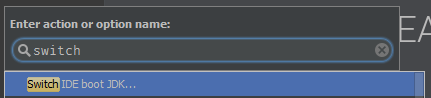
Next, I have typed Switch IDE Boot JDK in the help.
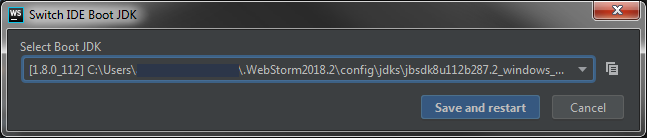
Then, I have selected the JB JDK I just installed.

And I have clicked on Save and restart.
Finally, I have checked the Enable font ligatures option.

I have even tried with the bundle version.

But the result is always the same. I cannot see font ligatures.
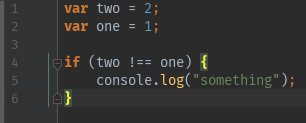
Am I doing something wrong? Could someone help me out?
Regards,
Please sign in to leave a comment.
Looks OK... BTW, WS 2018.2 comes with bundled JetBrains JRE, so you don't normally need downloading the JRE from JB SDK Bintray.
What do you mean saying that it's not recognized?
BTW, from your screenshot I can see that you have enabled them for console only - is it intentional?
It's all good now, Elena. I had enabled font ligatures only in the console and not in the editor.
Thank you!