Save error settings are not saved.
Answered

Hello for the newest after a renaming of my computer name in all my JetBrains products nothing more stored. When I open it, this mistake immediately follows.
If I want to create a project or a file, another error occurs.
I urgently need help and would be happy about any important news.
Now IntelliJDA tells me that it has no writing rights.
However, all users have write access to this folder.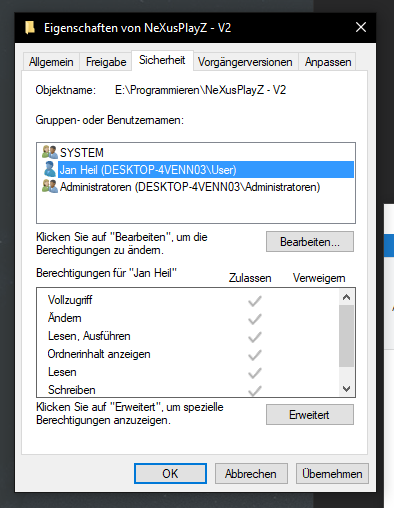

Please sign in to leave a comment.
You need to solve permission issues on your Windows to these directories. User who launches the IDE must have read/write access to project files and IDE settings directories. Double check your windows firewall and OS settings.
Try also to re-install the IDE from https://www.jetbrains.com/idea/download.
If after this problem remains I would also suggest asking for assistance your system administrator or the related OS forums/stackoverflow.