Intellij Chinese characters work only on Windows theme

Hello,
Im writing regarding a problem that i'm facing while developing a plugin for IntelliJ.
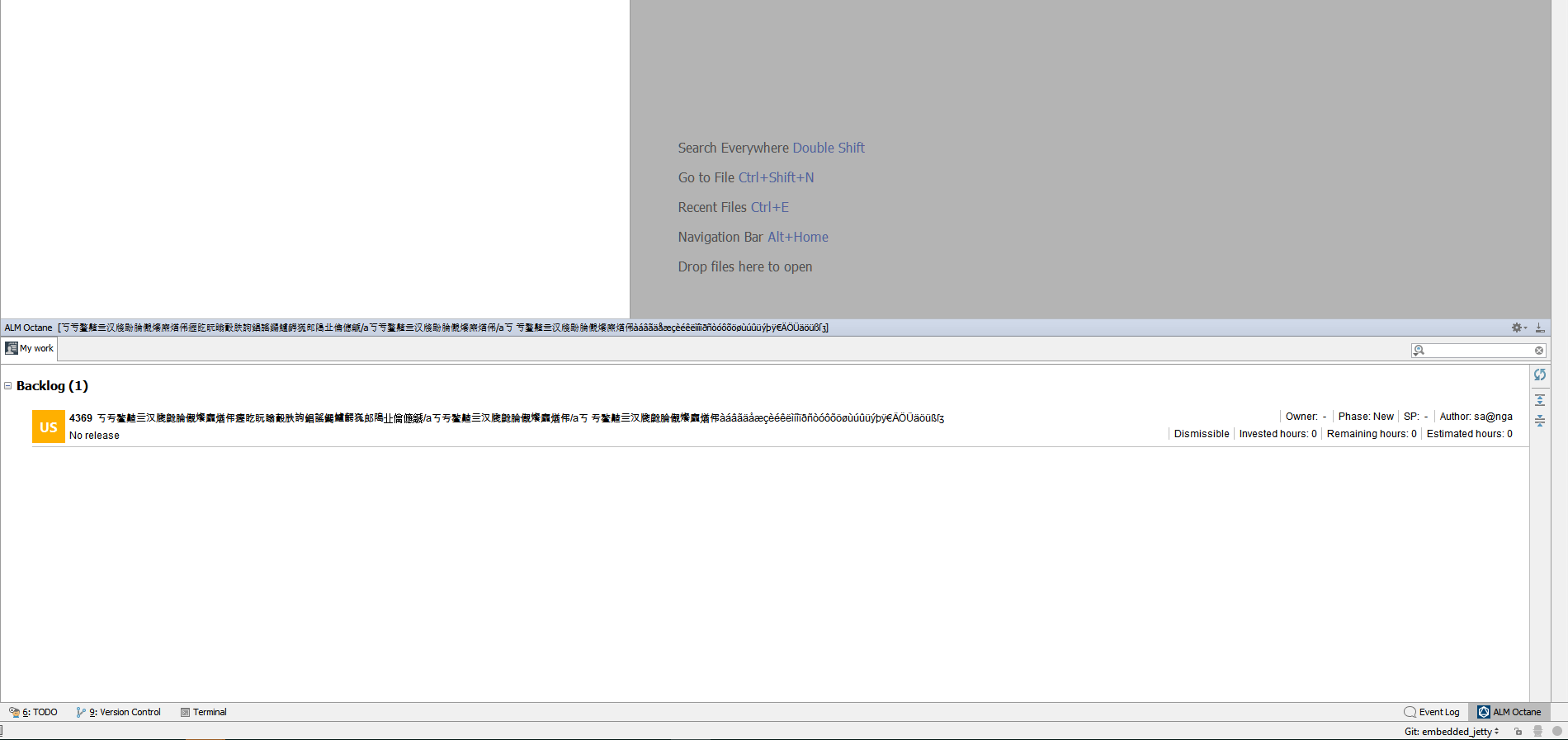
The problem reproduces in the following scenario. A ToolWindow is created for which i set the title which can be a name. This name sometimes can happen to be made of chinese glyphs.
The name is displayed correctly on the Windows theme, while on the Darcula and IntelliJ themes it seems it does not know how to display the glyphs.
Windows theme:
Darcula Theme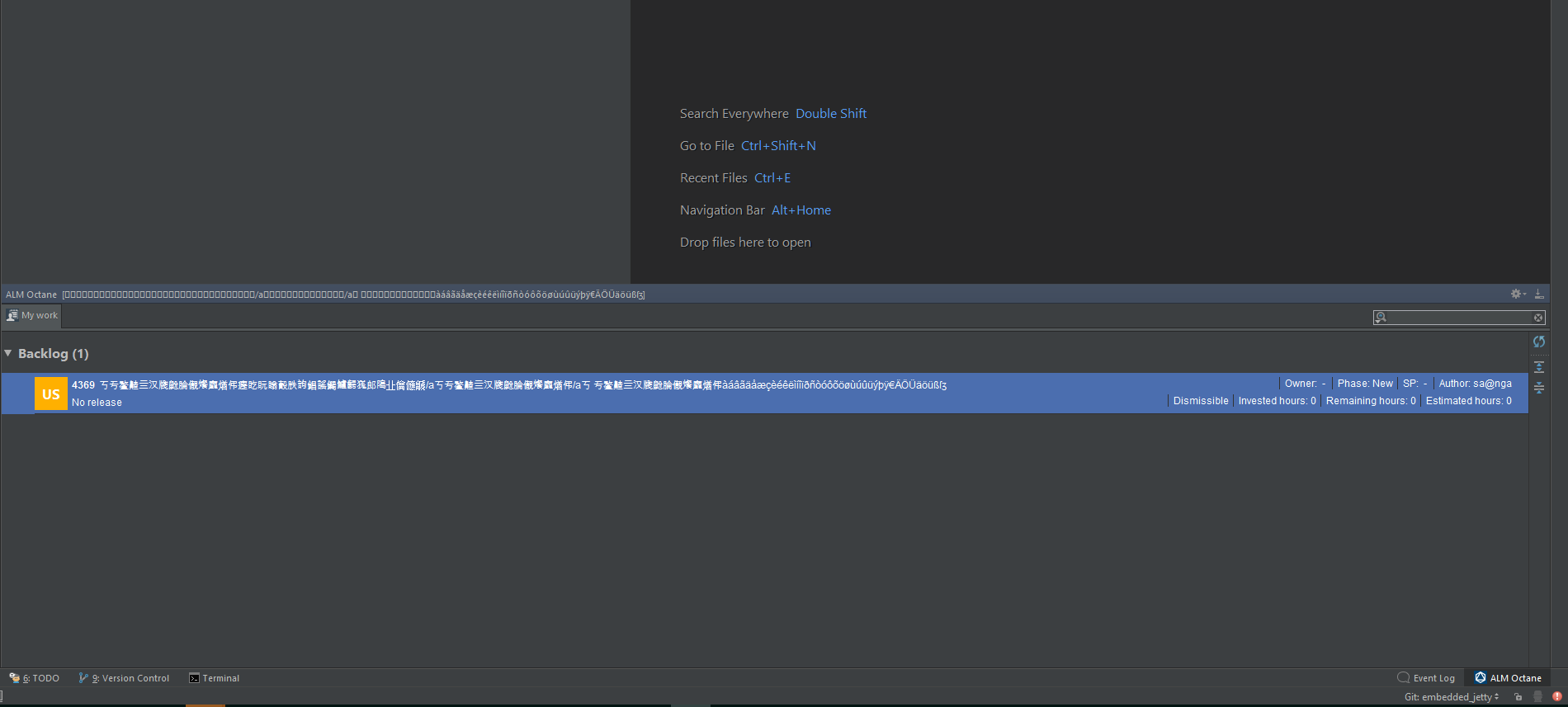
For the IntelliJ theme it looks the same as for Darcula.
This is the code:

where ToolWindow its a class provided by IntelliJ api,
HasComponent.getComponent() returns a JPanel
workSpaceName is a string encoded with UTF-8
Any help is appreciated.
PS: *The problem is with the title of the ToolWindow and not the Backlog item.
Please sign in to leave a comment.
Please post information from About screen of IDEA where the issue is observed.
The version of the IDEA on which it runs in debug mode is:
Try to update it to the latest version (2018.1 at least, or 2018.2 EAP which has been just released). There were related platform issues that are most probably fixed there.
Thank you! Your proposed solution worked perfectly ;)
Have a good one ;)