Intellij adding "^M" newline characters
Answered

This just started happening today and I cannot find anything online about how to change this. Git is detecting "^M" newline characters.
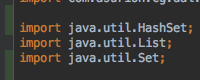 (code)
 (git diff)
I have been using IntelliJ for several years now and have never seen this. No idea how to make these new line characters go away
Please sign in to leave a comment.
Check your code style settings, line separator:
Notice that .editorconfig files in the project may override it. Also check your git line endings policy: https://help.github.com/articles/dealing-with-line-endings/.
Hi Serge, thanks for your quick reply! My project has no .editorconfig files. I've tried each of the Mac specific Lin Separator options, but still see the "^M" characters. I also tried running the following git command, but it didn't help, either.
git config --global core.autocrlf inputTry Unix line separators and reformat the file.
Switched to Unix line separators and formatted the file. It added more "^M" characters.
Check https://stackoverflow.com/questions/1889559/git-diff-to-ignore-m.
It is not adding the "^M" to new files, only files that were already in the project.
The stackoverflow suggestion appears to have worked with 88 project files changed. Will review this with my team. Thanks for your help, Serge!