Narrow down the CSS files where intellij html editors looks for references

Usually we have multiples of the same CSS code when developing a web application (node modules, SCSS/CSS, concaternated css and more)
So that when I hover over a class in an html element, multiple sources for this class element appear.
How may I narrow down the CSS files that intelliJ looks for references?
As you can see intellij looks in everywhere.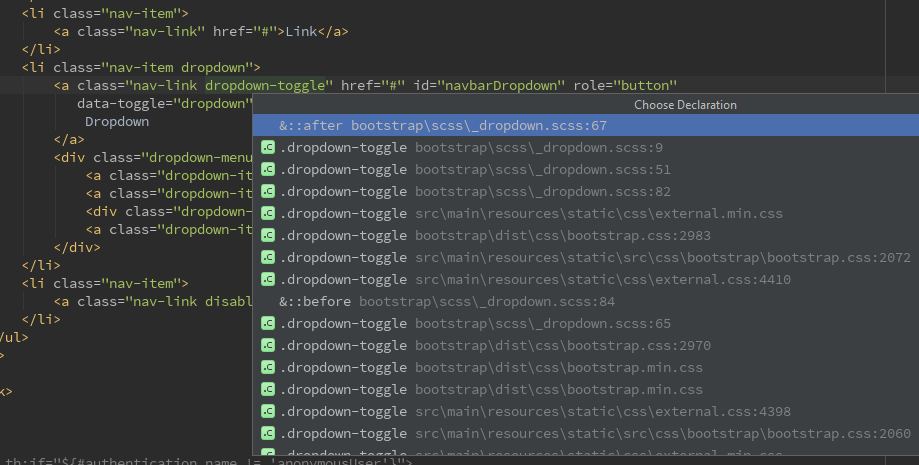
Please sign in to leave a comment.
Classes from all .css files indexed by IDEA are available in completion; to narrow down the list, you have to exclude the files/folders you don't like getting completion from from your project, by marking the corresponding folders excluded (Mark directory as/Excluded in folder rightclick menu)
That worked perfectly.
The IDE became much more responsive.
Thanks