How to: Replace and Find Next
Answered

When I have the Find & Replace bar visible, there is a button "Replace" that will replace the currently selected occurrence and find the next one. How do I press this button with a keystroke or a menu item?
In other text editors I am accustomed to being able to quickly Find & Replace (⌘R) a particular phrase, with Find Next (⌘G) to skip, and Replace and Find Next (⌘ ???) to replace and skip to the next occurrence.
See screenshot for more details.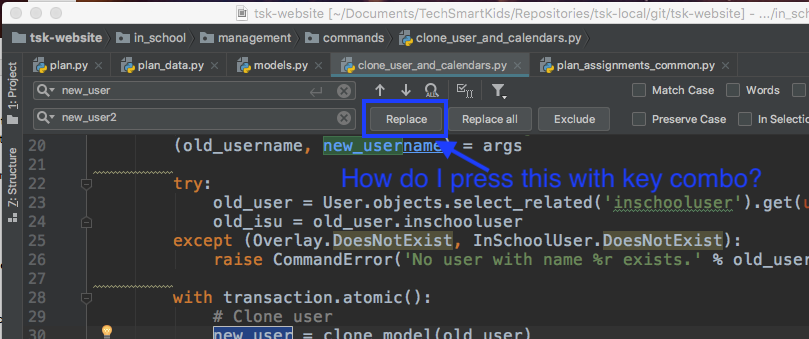
Please sign in to leave a comment.
Alt+P should do the trick I believe.
Brilliant! That works.
How did you discover that key combination? I don't see anything in any menu or keymap configuration related to "Find" or "Replace" that would have given me Alt-P.
It's called "mnemonics" I believe, when you press and hold Alt PyCharm underline some character in button labels. If you press the corresponding letter holding Alt the given action will be executed.
That's very useful to know Pavel. Have a great day!