Gradle TestNG no console output during @BeforeSuite

I'm having a problem with running TestNG tests in IDEA. While the @BeforeSuite is running, the console does not show any output until it is finished and then it shows it all. I have some long running tasks for building databases and such in many automated test suites and this makes it hard to debug. The output shows fine if I run the command from the Terminal tab, but doesn't work when running from IDEA. Also, the log files generate in real time. I usually end up having to open the log file and keep refreshing it to watch the progression.
I have some more complex log4j configurations, but for the most part they are as simple as possible setting a console appender with threshold to DEBUG and a rolling file appender with threshold to INFO with some layout patterns here and there.
These are Groovy applications using gradle 4.6, java 1.8.0_181, groovy 2.4.15. testLogging.showStandardStreams is set to true in gradle script happens with both log4j2 2.11.1 and log4j 1.2.17
When running from the terminal it looks something like this (actual messages removed due to proprietary information)
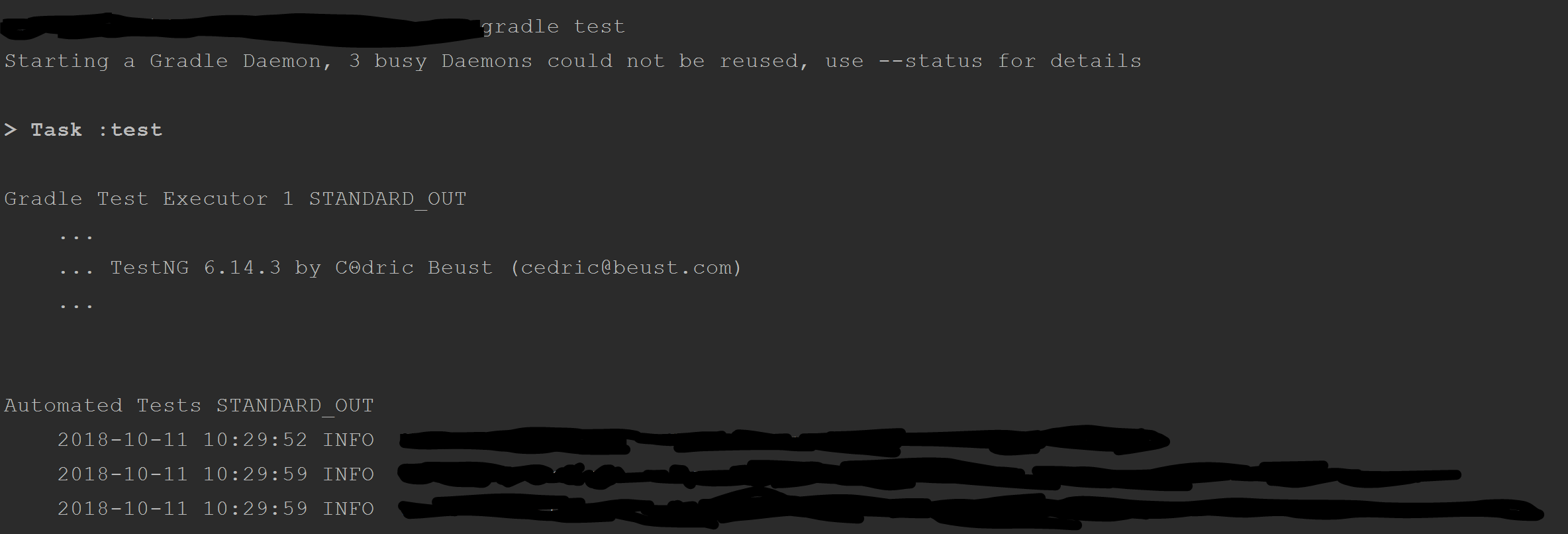
In IDEA it looks like this:

It stays that way until the "Instantiating tests..." changes to this with all of the messages suddenly appearing at once.

Any settings, other logging libraries, or other ideas on how to get the messages to show in real time in the console?
Please sign in to leave a comment.
Hello,
Is it possible to provide sample project for investigation?
I created a test and linked to dropbox. Basically this method I use just waits for an external process to finish. It checks the status of the process using a closure that gets sent to a shared method that does the looping/waiting. In this case it's just one closure that always returns false to force it to keep waiting for test purposes. I have it looping 5 times waiting 2 seconds each time for a total of 10 seconds. You'll see that when calling it from the @BeforeSuite it outputs nothing until the end, but when calling it from within the test it outputs as it runs.
Also, forgot to mention, you have to run the entire test to reproduce the issue. It works as expected if you select a single test to run using the little arrows in the class. Also, you can run it from the terminal to see it outputs as expected there.
Let me know if you have any other questions. Thanks!
https://www.dropbox.com/s/f96ae36i2i5i50n/test.zip?dl=0
Justin,
Thanks for the example! I reported issue on YouTrack: https://youtrack.jetbrains.com/issue/IDEA-200623
Please follow it for updates.