weird code formatting
Answered

I'm using Inteli Idea 2018.2.4 (Build #IC-182.4505.22, built on September 18, 2018), and recently noticed that my code (Java 8) looks different:
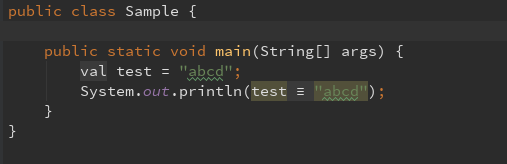
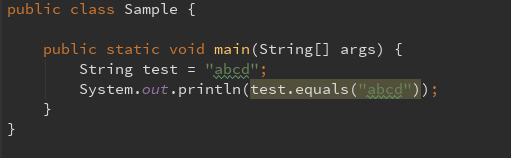
This must be some feature. Where can I disable it so my code always looks like this (by default):
Please sign in to leave a comment.
Do you have Advanced Java Folding plugin enabled or other custom plugin that customized code representation (like folding) in editor. Disable the plugin or this specific folding option.
Thanks, that helped. I disabled all folding options.