Useless nesting in navigation?
Answered

I'm not quite sure if this has been posted yet.
On previous datagrip versions, I was able to select one schema with the postgres driver and then it would only list the contents of that schema on the top level, screenshot below.
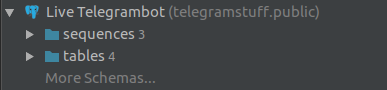
Now that I upgraded to the latest version (which might already be out for a while), it creates this very unnecessary nesting which just wastes space:
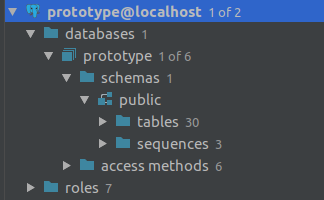
is there a way to only see the relevant data of schema public again and exclude all the useless information about the database itself?
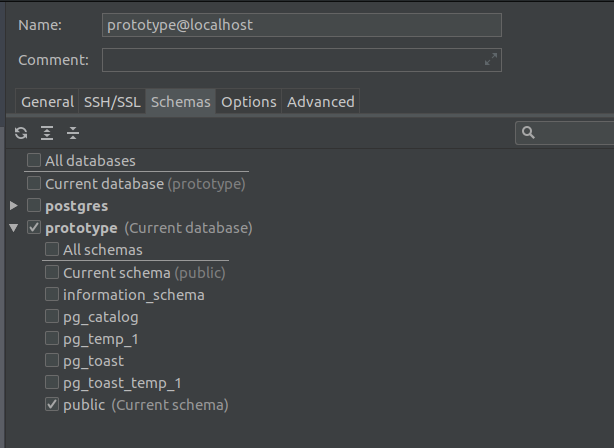
I think my settings are appropriate but I can't figure it out.
Please sign in to leave a comment.
Hi David,
I'm not DataGrip or PostgreSQL user (using PhpStorm) .. but check if using Filter & Database toolwindow options will reduce/exclude unwanted info or nesting.
Thank you for your suggestion, but once I start unchecking things, its will disappear too. so if I click databases for example, everything below it will disappear, too.
@David Pay attention to highlighted options:
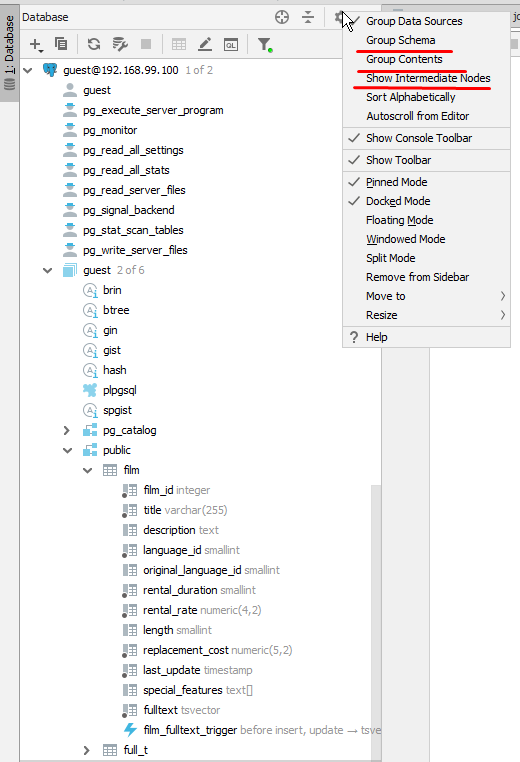
Why do you need to filter out `database` node?
Thank you for your response, the intermediate nodes option actually helped a lot!
The reason I wanted to filter out databases is this, just to answer your question:
Sorry to pick this up again, but this only goes as far as putting the tables on the *sixth* nesting level. Is there no way to get it onto 2?
Below is a demonstration of what I mean. The bottom database was inspected under an older version of datagrip where things were still okay.
@David
It works as intended since you've got database level objects like `access methods`.
In your case to collapse nodes you need to filter out `access methods`:
Oh I see, now I understand it. Once I filtered out access methods and roles it's back to "normal". That's very helpful, thank you again Vasily!