debug watches error: no type named in namespace

Hi all,
I have a pretty simple program that include a header-file in which another namespace is defined. Issue arises when I try to add to watches in debug mode an expression which uses a function defined in such namespace (even if the debug thread has visibility over the namespace through the mentioned included header files).
The same expression while running the program works without problems, but the debug watch complains with the mentioned expression: 'debug watches error: no type named in namespace'
Please see attached the result of the execution of the simple main and next to it the debug session (with the error):
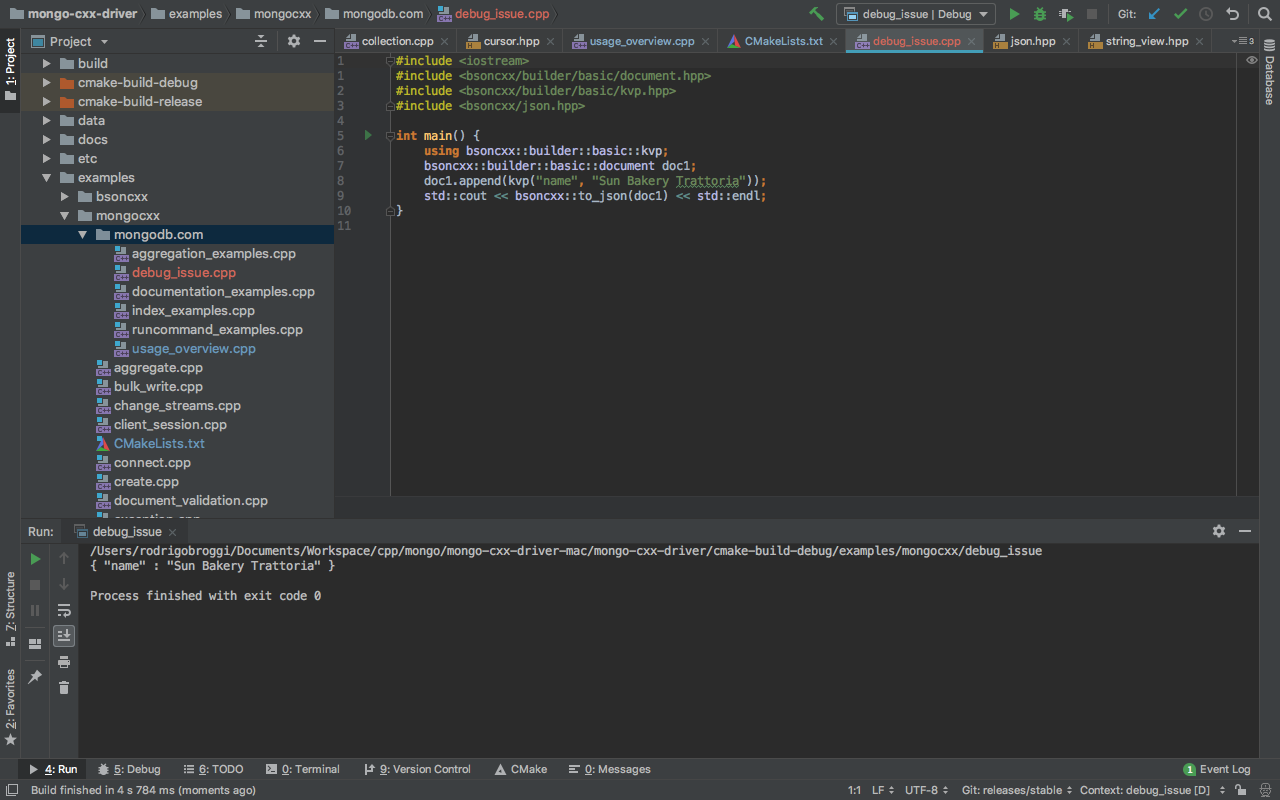
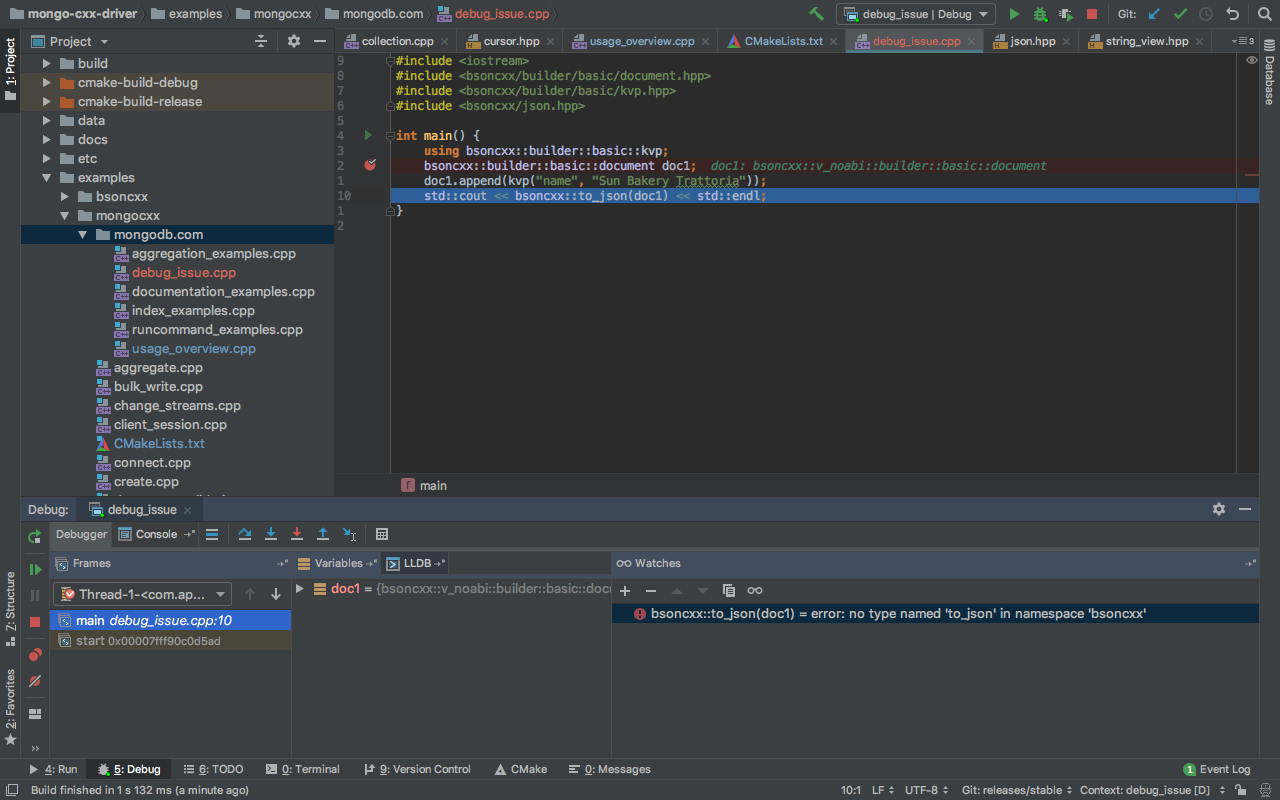
I'm I doing something wrong? Should I set somehow in the "watches" section the includes?
Thank you and best regards,
Rodrigo Broggi
Please sign in to leave a comment.
Hello!
I've tried to reproduce the issue on a simple project, but didn't manage to:
AAA::bar function is defined in new.h.
Please enable debugger logging as described here, reproduce the issue and send the resulting idea.log file to clion-support at jetbrains.com. Thanks. Do not forget to disable debug logging after that. Note that logs might contain private user's information (like file paths and names).
Please also send a simple sample project with which the issue can be reproduced if possible.
Hi Anna,
First of all thank you for having a look into it. In the meanwhile I've produced the log file requested which you can find attached (link: https://intellij-support.jetbrains.com/hc/en-us/requests/1868153) . The error can be found at line 4919 of the log file. It seems like the debuger run into a name ambiguity as you can see in: 'reference to 'document' is ambiguous'. The weird thing is that the program itself has no trouble on identifying the right candidate. I realize it's difficult to diagnose issues in a project like this and without further context but to reproduce it using a simpler program could not be so straight forward. I would be available, though, to have a 'live debug session' if you or anyone in the team find the time to analyse it with me (I am aware that this could not be the company policy but it does not hurt to try). In the meanwhile I will try to think on how to reproduce the problem on a simpler program.
Best regards,
Rodrigo Broggi