Indexing all of ~/Library on macOS

After JetBrains Toolbox updated IntelliJ to 2018.3.3 on macOS
IntelliJ IDEA 2018.3.3 (Community Edition)
Build #IC-183.5153.38, built on January 9, 2019
JRE: 1.8.0_152-release-1343-b26 x86_64
JVM: OpenJDK 64-Bit Server VM by JetBrains s.r.o
macOS 10.14.2
IntelliJ initially asked for permissions to access my Calendar and my Contacts (This is referenced in a couple other threads involving WebStore, PHPStorm, and IntelliJ), and then has proceeded to index for hours, literally indexing everything in ~/Library including its own caches, but also including Application Support for every application on my system (which obviously doesn't make sense).
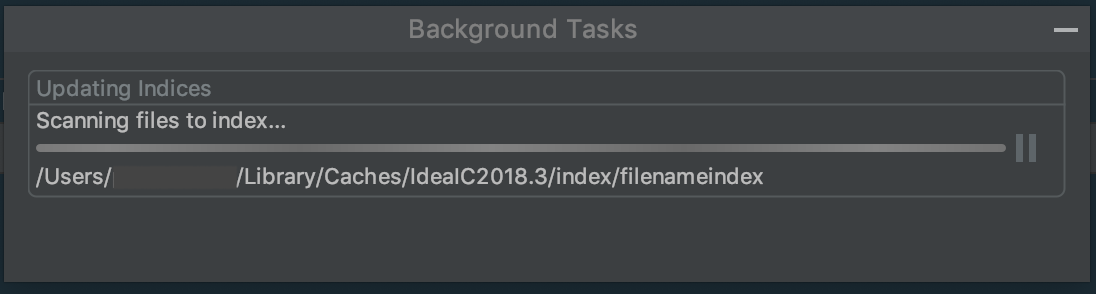
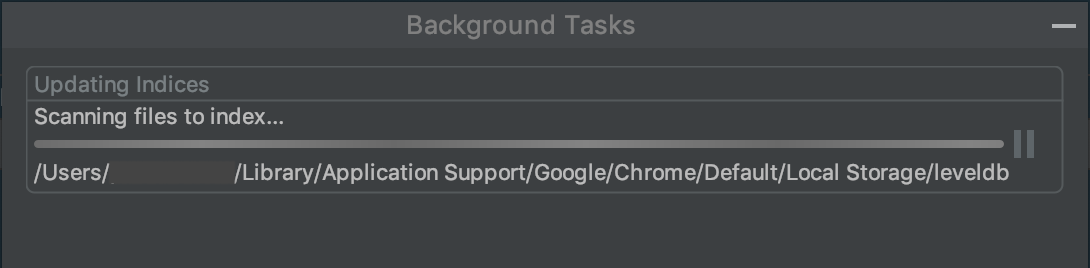
All of my projects are in ~/projects, though none of my projects' locations have changed since 2018.3.2. I haven't altered any settings or otherwise reconfigured anything that I think would justify the massive re-indexing.
Trying to recover from this issue, I've invalidated caches and restarted, but it continues to index. I also uninstalled and re-installed (Via JetBrains Toolbox), but when I started again, it's back to indexing.
Please sign in to leave a comment.
Does it help if you delete IDE folders to start with the defaults: https://intellij-support.jetbrains.com/hc/articles/206544519 ?
It could be that some library, dependency, SDK or project path is referencing the /Library directory or there is a symlink somewhere that points to this directory.
I'd recommend reporting at https://youtrack.jetbrains.com/issues/IDEA with the logs attached (https://intellij-support.jetbrains.com/hc/articles/207241085).
Hi Serge, Thanks for the quick reply. I'll try that.
Filed at https://youtrack.jetbrains.com/issue/IDEA-206194