Can't disable typescript inspection

Is there a way to tell webstorm to read different tsconfig.json file for test files? It would be very useful, I have *.spec.ts files exluded from my main tsconfig.json, and separete a tsconfig.spec.json for them. Because of this whenever i want to use for example async / await in my test it gets underlined red by webstorm. alt + enter doesn't let me disable the inspection like it normally does, i only see the option to 'suppress with @ts-ignore' which is stupid, i dont want to put it in every place i use async.


So i created a scope with all *.spec.ts files as shown below, and set the severity level for this scope to none. I also used the icon in bottom-right corner to disable inspections for the file, all with no effect, the red line is still there.
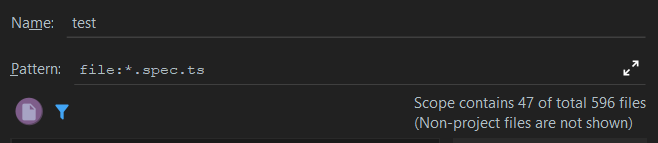


So am I doing something wrong here or is it a bug? Ideally i would like webstorm to read additional tsconfig, but if its not possible i would just like to get rid of this red underline, because its extremely annoying. Even if it means completly disabling inspections for test files.
Please sign in to leave a comment.
>Is there a way to tell webstorm to read different tsconfig.json file for test files? It would be very useful, I have *.spec.ts files exluded from my main tsconfig.json, and separete a tsconfig.spec.json for them
This is exactly what it does - it uses the nearest tsconfig.*.json file is included in. If your spec files are excluded from your main tsconfig.json and included in tsconfig.spec.json (and the `tsconfig.spec.json` is available in the list of patterns registered for Typescript Config file type in Settings | Editor | File Types), the TypeScript service should normally use it for your spec files processing
>So i created a scope with all *.spec.ts files as shown below, and set the severity level for this scope to none. I also used the icon in bottom-right corner to disable inspections for the file, all with no effect, the red line is still there.
Errors come from the compiler service, it can't be configured in Settings | Editor | Inspections
Thank you for fast reply. I checked what you said and even tough tsconfig.spec.json pattern is included in file types, webstorm doesn't read it, and I see the underline in test files.
So what can i do now? Is there a way to completly disable this compiler service you are talking about?
Hello.
I also would like to cancel the inspection of errors for typescript. In my case it is not a typescript files at all, but the "typoscript" files - configuration files for Typo3 CMS, which are also ended with ".ts". I canceled the inspection for typescript in the settings, but it has no effect.
try re-assigning *.ts patter to Typoscript file type in Settings | Editor | File Types; or, if you have both Typescript and Typoscript, add specific name patterns to each of types, making sure that <my typoscript file>.ts is assigned to Typoscript, and <my typescript file>.ts - to Typescript