Node.js configuration - executable files can not be selected

Hi guys,
I just installed the latest version of WebStorm under Linux Mint. My first step was to configure Node.js.
Node.js works fine on my VM and is available in /usr/bin/node but this file is not visible in the WebStore configuration dialog (see screenshot).
It seems that every executable file is not visible.
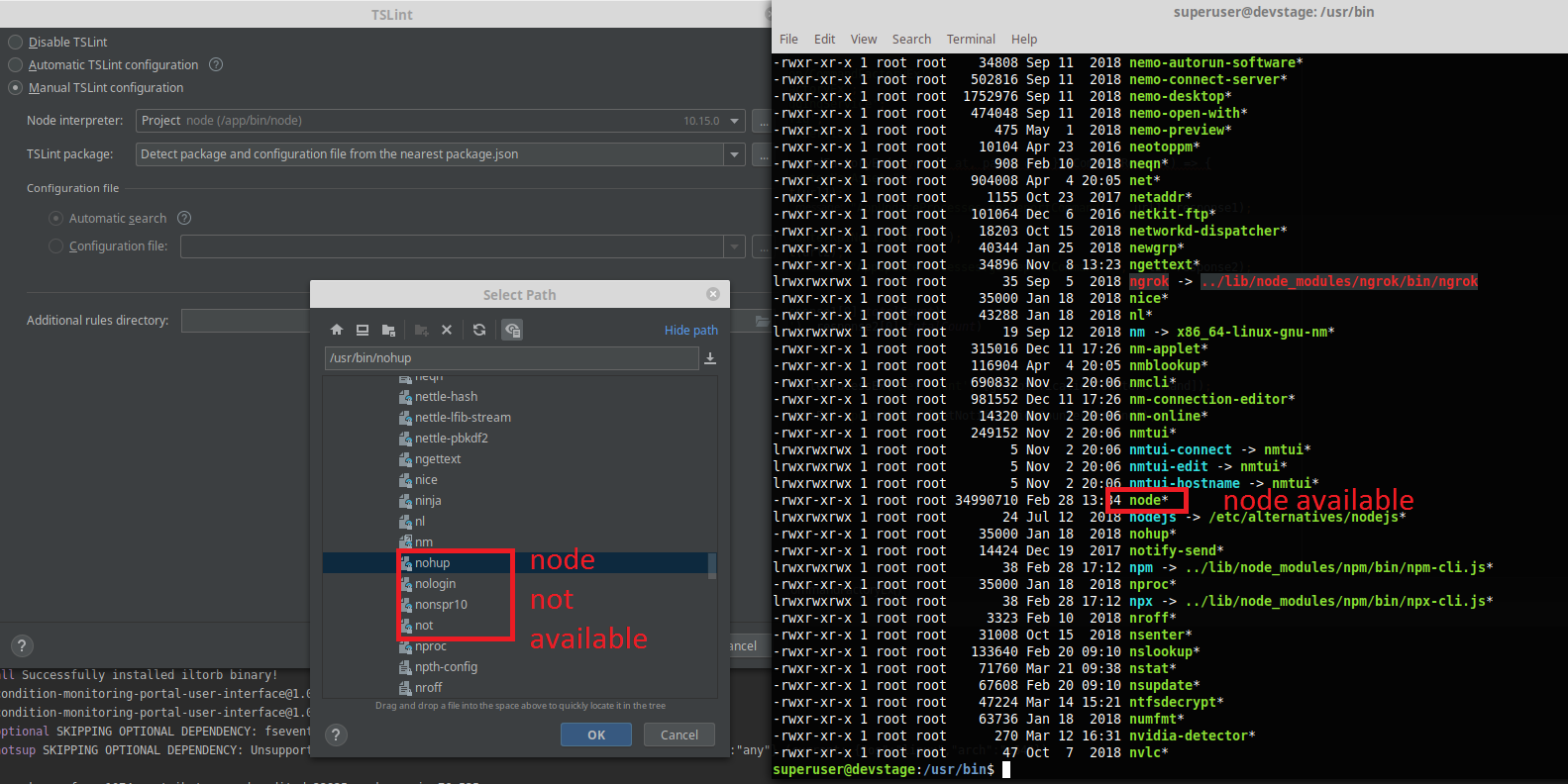
I changed the permissions of the file to 777 and the ownership to my current user. This did not help.
I also started WebStorm as root and had the same problem.
Why is that so?
Thx
Kind regards
Please sign in to leave a comment.
Strange... Please can you share your idea.log (Help | Show log in <your file manager>)? Please don't paste it here, upload it to some file server and provide a link