IntelliJ forgets Content Root settings every reopen.
Answered

Hello,
I have Maven project with Content Root structure like this:
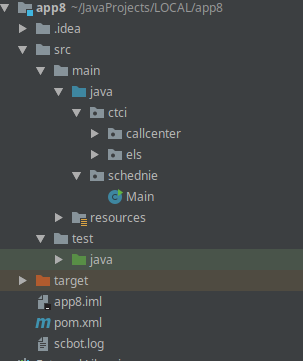
But when I reopen project, IntelliJ forgets all Content Root folders:
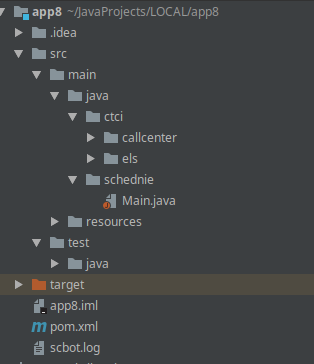

I found a soulution besides painfull marking folders as Soruce/Tests root every reopen: It is also possible to 'Reimport All Maven Projects'

But it is still annoying!
I tried to remove all metadata files like .idea and .iml from project, but it works only for first open.
What interesting, is that this bug happens only for one project 'app8'.
There is my pom.xml if it helps: https://pastebin.com/xUXEGSL6
And .iml file https://pastebin.com/v0FRMYnt
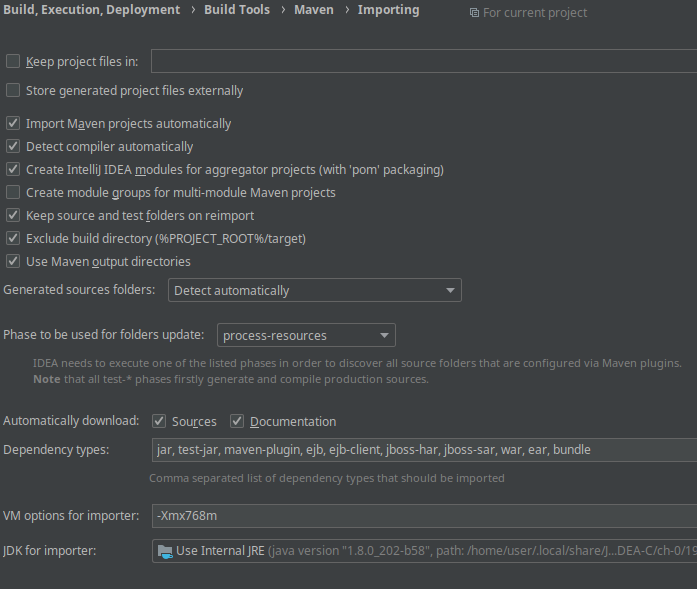
Also, my maven importing settings:
Please sign in to leave a comment.
Do you have databases defined in IDE (in case it is related to https://youtrack.jetbrains.com/issue/IDEA-207626)?
Try re-creating project by re-importing from pom.xml file and select to delete existing configuration. Also try enabling Settings (Preferences on macOS) | Build, Execution, Deployment | Build Tools | Maven | Importing | Store generated project files externally and Maven refresh.
Try also with the 3rd plugins disabled.
Check also with the version from https://www.jetbrains.com/idea/nextversion
Thanks, Andrey
EAP version of IDEA helped.
While re-importing did not help as well as Store generated project files externally. Else, I don't have database in the project.
Furthermore EAP version fixed one more bug with showing list of all neighbor projects after importing one concrete project: