Can't change markdown color text.

I want to change the color of the Text in jupyter notebooks in Pycharm. I don't know how:
In Editor - Color Scheme - General - Text - Default Text, I change the text in code (#%%) and markdown parts (#%% md)
In Editor - Color Scheme - Markdown - Text, I change the color, but doesn't have any effect, even if "Inherit values from:" is unchecked.
How I can do it? Thanks for yout time.
Have a nice day.
Please sign in to leave a comment.
Hi,
You can change Jupyter-specific colors in File | Settings | Editor | Color Scheme | Jupyter
Otherwise, Jupyter code is Python, so it follows the Python coloring configuration in File | Settings | Editor | Color Scheme | Python
Hello,
Thanks for your answer. Unfortunately, Color Scheme - Jupyter just have two options, which neither of them permits me changing the color of the text which is below #%% md, without affecting the color of the code (#%%), which is my objective.
Any other suggestions? Thanks for your time.
Which PyCharm version are you using?
Also, please provide screenshots of the markdown color settings that you change and the result.
Hi,
Pycharm 2019.1.3
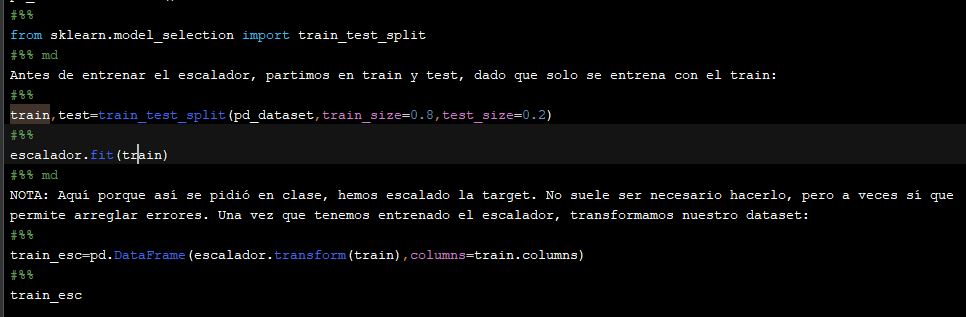
In Editor - Color Scheme - General - Text - Default Text, I change the text in code (#%%) and markdown parts (#%% md) ORIGIN AND RESULT:
In Editor - Color Scheme - Markdown - Text, I change the color, but doesn't have any effect, even if "Inherit values from:" is unchecked:
Thanks. Have a nice day.
I meant screenshots of your settings demonstrating which settings exactly did you change, and the outcome. For now I can't see the settings you've made.
When you change colors for Markdown section, they should be reflected in your Markdown cells.
Ok. Sorry, I badunderstood.
Here they are:
No effect in the code is shown. No text in orange in the code.
Thanks.
Indeed, I've reproduced the issue. Interestingly that other elements, like headers, are changed in color, but not Text element.
I've created an issue here: https://youtrack.jetbrains.com/issue/PY-36911
Please vote and follow.