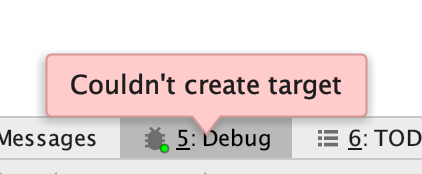
CLion Debug - Couldn't create target
Answered

Hello,
I am relatively new to CLion and programming, and I am looking to familiarize myself with the CLion debug tools. Currently, I have a project with multiple source files that run fine on their own, but do not debug. This issue persists even when new projects are made. I am currently running the latest version of CLion on MacOS 10.15 Beta (19A512f), with the standard debug CMake configuration. Switching to GDB also does not work, as it results in the error "...File format not recognized".
Thank you for your help in advance.
Please sign in to leave a comment.
Hello!
Please enable debugger logging as described here, reproduce the issue and send the resulting idea.log file (Help | Show Log in ...) to clion-support at jetbrains.com. Note that logs might contain private user's information (like file paths and names).
Exactly the same issue.
I am also running CLion 2019.2 on macOS Catalina Beta, and any C++ project with "cin" will crash.
In case of Catalina there is https://youtrack.jetbrains.com/issue/CPP-17126. Please try using CLion 2019.2.2, we've included a fix in it (https://blog.jetbrains.com/clion/2019/09/clion-2019-2-2-bug-fix-update/).
I am using
* CLion: version 2019.2.4
* Mac Catalina: version 10.15
I am seeing the "Couldn't create target" bug mentioned above in my C++ project.
Below is my debug log:
2019-10-21 08:54:25,068 [2133786] INFO - #com.jetbrains.cidr.cpp - Building: "/Users/<user>/Library/Application Support/JetBrains/Toolbox/apps/CLion/ch-0/192.6817.18/CLion.app/Contents/bin/cmake/mac/bin/cmake" --build /Users/<user>/CLionProjects/<project>/cmake-build-debug --target <project> -- -j 6
2019-10-21 08:54:25,141 [2133859] WARN - j.openapi.wm.impl.IdeFrameImpl - Set preferredFocusableComponent in 'Build' content in Messages tool window to avoid focus-related problems.
2019-10-21 08:54:25,141 [2133859] WARN - j.openapi.wm.impl.IdeFrameImpl - Build tool window - parent container is hidden
2019-10-21 08:54:25,216 [2133934] WARN - minal.model.TerminalTextBuffer - Terminal height < screen buffer line count: 22 < 23
2019-10-21 08:54:25,492 [2134210] DEBUG - brains.cidr.execution.debugger - LLDBFrontend: "/Users/<user>/Library/Application Support/JetBrains/Toolbox/apps/CLion/ch-0/192.6817.18/CLion.app/Contents/bin/lldb/mac/LLDBFrontend" 55434
2019-10-21 08:54:25,542 [2134260] DEBUG - brains.cidr.execution.debugger - [protobuf client 4] 88 res:composite_broadcast {
initialized {
version_string: "7.0.1"
version_string_original: "lldb version 7.0.1"
}
}
2019-10-21 08:54:25,584 [2134302] DEBUG - brains.cidr.execution.debugger - [protobuf client 4] 93 req(87): handle_console_command {
thread_id: 4294967295
frame_index: -1
command: "settings set target.process.thread.step-in-avoid-nodebug true"
}
2019-10-21 08:54:25,585 [2134303] DEBUG - brains.cidr.execution.debugger - [protobuf client 4] 135 req(88): handle_console_command {
thread_id: 4294967295
frame_index: -1
command: "settings set target.process.thread.step-out-avoid-nodebug true"
}
2019-10-21 08:54:25,585 [2134303] DEBUG - brains.cidr.execution.debugger - [protobuf client 4] 136 req(136): handle_console_command {
thread_id: 4294967295
frame_index: -1
command: "type summary add --skip-pointers --summary-string \"${var%d} ${var}\" --category cplusplus \"char\" \"signed char\""
}
2019-10-21 08:54:25,586 [2134304] DEBUG - brains.cidr.execution.debugger - [protobuf client 4] 136 req(130): handle_console_command {
thread_id: 4294967295
frame_index: -1
command: "type summary add --skip-pointers --summary-string \"${var%u} ${var}\" --category cplusplus \"unsigned char\""
}
2019-10-21 08:54:25,586 [2134304] DEBUG - brains.cidr.execution.debugger - [protobuf client 4] 137 req(51): handle_console_command {
thread_id: 4294967295
frame_index: -1
command: "type category enable objc"
}
2019-10-21 08:54:25,586 [2134304] DEBUG - brains.cidr.execution.debugger - [protobuf client 4] 137 req(9): values_filtering_policy {
filter_enabled: 1
}
2019-10-21 08:54:25,587 [2134305] DEBUG - brains.cidr.execution.debugger - [protobuf client 4] 138 req(80): handle_console_command {
thread_id: 4294967295
frame_index: -1
command: "script import lldb_formatters.jetbrains_stl_formatters"
}
2019-10-21 08:54:25,587 [2134305] DEBUG - brains.cidr.execution.debugger - [protobuf client 4] 137 res:handle_console_command {
common_response {
is_valid: true
}
success: 1
}
2019-10-21 08:54:25,587 [2134305] DEBUG - brains.cidr.execution.debugger - [protobuf client 4] 138 res:handle_console_command {
common_response {
is_valid: true
}
success: 1
}
2019-10-21 08:54:25,587 [2134305] DEBUG - brains.cidr.execution.debugger - [protobuf client 4] 138 res:handle_console_command {
common_response {
is_valid: true
}
success: 1
}
2019-10-21 08:54:25,588 [2134306] DEBUG - brains.cidr.execution.debugger - [protobuf client 4] 138 req(94): create_target {
exe_path: "/Users/<user>/CLionProjects/<project>/cmake-build-debug/<project>"
arch: ""
}
2019-10-21 08:54:25,588 [2134306] DEBUG - brains.cidr.execution.debugger - [protobuf client 4] 139 res:handle_console_command {
common_response {
is_valid: true
}
success: 1
}
2019-10-21 08:54:25,588 [2134306] DEBUG - brains.cidr.execution.debugger - [protobuf client 4] 139 res:handle_console_command {
common_response {
is_valid: true
}
success: 1
err: "warning: empty category enabled (typo?)\n"
}
2019-10-21 08:54:25,588 [2134306] DEBUG - brains.cidr.execution.debugger - [protobuf client 4] 139 res:values_filtering_policy {
common_response {
is_valid: true
}
}
2019-10-21 08:54:25,624 [2134342] WARN - minal.model.TerminalTextBuffer - Terminal height < screen buffer line count: 30 < 31
Hi Andre!
According to this path "/Users/<user>/Library/Application Support/JetBrains/Toolbox/apps/CLion/ch-0/192.6817.18/CLion.app" you're using build 192.6817.18 which is CLion 2019.2.3. CLion 2019.2.3 indeed has this problem. Please update to CLion 2019.2.4, the issue should be fixed in it.
Thanks for catching that. My Jetbrains Toolbox said 2019.2.4, but the link I still had in my toolbar was opening the 2019.2.3 version. This has now corrected my issue.
I was having the same problem on 2019.2.1, and the problem was fixed after I updated to 2019.2.5.
Thanks! This tip helped me too!