IntelliJ Ultimate failing to launch using X11

Hello,
I'm trying to launch IntelliJ Ultimate using Pengwin/X410 on Windows 10. I appreciate that this might not be a supported setup but I'm trying to understand what exactly is going on to see if there are any feasible workarounds, since I've heard of Windows/WSL users having success with IntelliJ through X11 elsewhere.
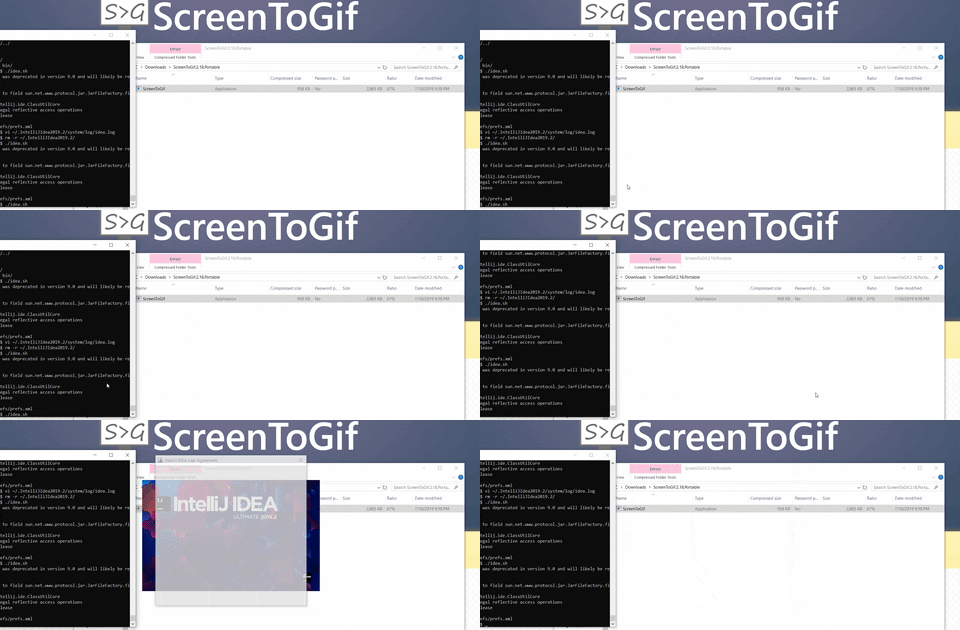
Per what's illustrated in https://media.giphy.com/media/jtu2s8t9IJduwpqbPu/giphy.gif, launching idea.sh causes the splash page to appear briefly along with a prompt before suddenly crashing. The thing that's confusing me is that the logs aren't showing any obvious error. Am I missing something / are there other things that I should be looking at?
2019-08-17 03:09:19,649 [ 0] INFO - #com.intellij.idea.Main - ------------------------------------------------------ IDE STARTED ------------------------------------------------------
2019-08-17 03:09:19,674 [ 25] INFO - #com.intellij.idea.Main - IDE: IntelliJ IDEA (build #IU-192.5728.98, 23 Jul 2019 04:08)
2019-08-17 03:09:19,678 [ 29] INFO - #com.intellij.idea.Main - OS: Linux (4.4.0-17763-microsoft, amd64)
2019-08-17 03:09:19,678 [ 29] INFO - #com.intellij.idea.Main - JRE: 12.0.2+10 (Oracle Corporation)
2019-08-17 03:09:19,678 [ 29] INFO - #com.intellij.idea.Main - JVM: 12.0.2+10 (Java HotSpot(TM) 64-Bit Server VM)
2019-08-17 03:09:19,682 [ 33] INFO - #com.intellij.idea.Main - JVM Args: -Xms128m -Xmx750m -XX:ReservedCodeCacheSize=240m -XX:+UseConcMarkSweepGC -XX:SoftRefLRUPolicyMSPerMB=50 -ea -XX:CICompilerCount=2 -Dsun.io.useCanonPrefixCache=false -Djava.net.preferIPv4Stack=true -Djdk.http.auth.tunneling.disabledSchemes="" -XX:+HeapDumpOnOutOfMemoryError -XX:-OmitStackTraceInFastThrow -Djdk.attach.allowAttachSelf -Dawt.useSystemAAFontSettings=lcd -Dsun.java2d.renderer=sun.java2d.marlin.MarlinRenderingEngine -Dsun.tools.attach.tmp.only=true -XX:ErrorFile=/home/hturki/java_error_in_IDEA_%p.log -XX:HeapDumpPath=/home/hturki/java_error_in_IDEA.hprof -Didea.paths.selector=IntelliJIdea2019.2 -Djb.vmOptionsFile=/mnt/c/Users/hturki/Downloads/idea-IU-192.5728.98/bin/idea64.vmoptions -Didea.jre.check=true
2019-08-17 03:09:19,683 [ 34] INFO - #com.intellij.idea.Main - charsets: JNU=UTF-8 file=UTF-8
2019-08-17 03:09:19,736 [ 87] INFO - #com.intellij.idea.Main - JNA library (64-bit) loaded in 65 ms
2019-08-17 03:09:20,263 [ 614] INFO - plication.impl.ApplicationImpl - CPU cores: 8; ForkJoinPool.commonPool: java.util.concurrent.ForkJoinPool@8d52432[Running, parallelism = 7, size = 0, active = 0, running = 0, steals = 0, tasks = 0, submissions = 0]; factory: com.intellij.concurrency.IdeaForkJoinWorkerThreadFactory@62cbbed9
2019-08-17 03:09:20,390 [ 741] INFO - #com.intellij.idea.Main - WM detected: X410
2019-08-17 03:09:21,915 [ 2266] INFO - #com.intellij.idea.Main - ------------------------------------------------------ IDE SHUTDOWN ------------------------------------------------------
2019-08-17 03:09:21,919 [ 2270] INFO - org.jetbrains.io.BuiltInServer - web server stopped
2019-08-17 03:10:07,913 [ 0] INFO - #com.intellij.idea.Main - ------------------------------------------------------ IDE STARTED ------------------------------------------------------
2019-08-17 03:10:07,953 [ 40] INFO - #com.intellij.idea.Main - IDE: IntelliJ IDEA (build #IU-192.5728.98, 23 Jul 2019 04:08)
2019-08-17 03:10:07,955 [ 42] INFO - #com.intellij.idea.Main - OS: Linux (4.4.0-17763-microsoft, amd64)
2019-08-17 03:10:07,955 [ 42] INFO - #com.intellij.idea.Main - JRE: 12.0.2+10 (Oracle Corporation)
2019-08-17 03:10:07,955 [ 42] INFO - #com.intellij.idea.Main - JVM: 12.0.2+10 (Java HotSpot(TM) 64-Bit Server VM)
2019-08-17 03:10:07,955 [ 42] INFO - #com.intellij.idea.Main - JVM Args: -Xms128m -Xmx750m -XX:ReservedCodeCacheSize=240m -XX:+UseConcMarkSweepGC -XX:SoftRefLRUPolicyMSPerMB=50 -ea -XX:CICompilerCount=2 -Dsun.io.useCanonPrefixCache=false -Djava.net.preferIPv4Stack=true -Djdk.http.auth.tunneling.disabledSchemes="" -XX:+HeapDumpOnOutOfMemoryError -XX:-OmitStackTraceInFastThrow -Djdk.attach.allowAttachSelf -Dawt.useSystemAAFontSettings=lcd -Dsun.java2d.renderer=sun.java2d.marlin.MarlinRenderingEngine -Dsun.tools.attach.tmp.only=true -XX:ErrorFile=/home/hturki/java_error_in_IDEA_%p.log -XX:HeapDumpPath=/home/hturki/java_error_in_IDEA.hprof -Didea.paths.selector=IntelliJIdea2019.2 -Djb.vmOptionsFile=/mnt/c/Users/hturki/Downloads/idea-IU-192.5728.98/bin/idea64.vmoptions -Didea.jre.check=true
2019-08-17 03:10:07,955 [ 42] INFO - #com.intellij.idea.Main - charsets: JNU=UTF-8 file=UTF-8
2019-08-17 03:10:07,992 [ 79] INFO - #com.intellij.idea.Main - JNA library (64-bit) loaded in 48 ms
2019-08-17 03:10:08,447 [ 534] INFO - plication.impl.ApplicationImpl - CPU cores: 8; ForkJoinPool.commonPool: java.util.concurrent.ForkJoinPool@2c98a681[Running, parallelism = 7, size = 0, active = 0, running = 0, steals = 0, tasks = 0, submissions = 0]; factory: com.intellij.concurrency.IdeaForkJoinWorkerThreadFactory@473f27bd
2019-08-17 03:10:08,545 [ 632] INFO - #com.intellij.idea.Main - WM detected: X410
2019-08-17 03:10:09,870 [ 1957] INFO - #com.intellij.idea.Main - ------------------------------------------------------ IDE SHUTDOWN ------------------------------------------------------
2019-08-17 03:10:09,876 [ 1963] INFO - org.jetbrains.io.BuiltInServer - web server stopped
Please sign in to leave a comment.
Hello,
Looks like https://youtrack.jetbrains.com/issue/IDEA-217511.
It may help if you can somehow run the app without Pengwin/X410 to accept the license agreement. Once the license agreement is accepted, the IDE should be able to start via Pengwin/X410 too.
Thanks for the reply - that seems like a plausible explanation. How is the license agreement response tracked / is there a file that I can modify in the IntelliJ settings directory for example that would mark the agreement as confirmed?
My naive attempt at a workaround was to install IntelliJ on windows, then copy the settings directory to the corresponding location for the IntelliJ installation on Pengwin, but the agreement was still showing up / the launch would still crash.
Actually I found a workaround by first installing IntelliJ 191, accepting the user agreement, then upgrading to 192.
Thank you thank you thank you!!!!
This was driving me crazy all day trying to figure out why my install wasn't working. I got the same quick splash screen and absolutely no errors. I just got the previous version and back in business.