IntelliJ code Analyse overview of right side top corner and analyse Inspection shows different data
Answered

IntelliJ code Analyse overview of right side top corner and analyse Inspection shows different data When I hover the right side top corner of code it shows something like this as inspection analyse

But when I run code Inspection for that same file through Analyse -> Inspec code, it shows different result like below
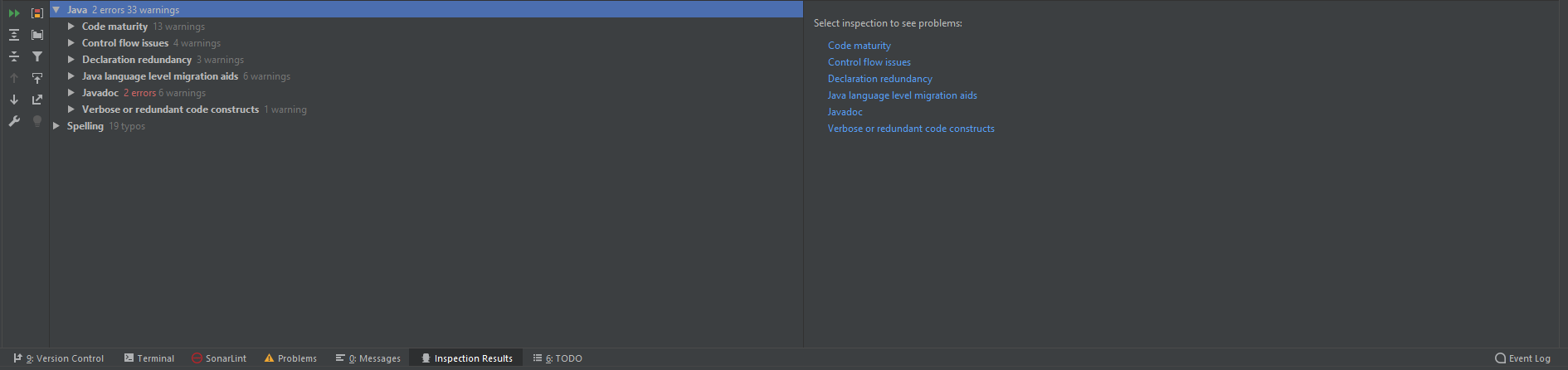
I need to get that same Analysis data which is shown in right side top corner as the result or log. Is there any other way to get that analyse result as text report or something like that. Thanks in advance
Please sign in to leave a comment.
Hello, due to performance reasons some of the inspections in IntelliJ IDEA differ at Editor level and while run explicitly with Analyze | Inspect Code, i.e. "unused property" or "unused declaration" inspections etc. So thats why the information in "Analysis completed" window and "Inspections results" pane may be different.
Thanks for your response. Is there any way to get those analyzed data (right side top corner) as a text ?
Lucefer, please clarify why do you need them in text, what is the use case? Thank you
I need to extract all error those are shown in right side upper corner and get all the methods which are not resolved and make the document by extracting those details
Unfortunately there is no ready tool in IntelliJ IDEA to export such a report.