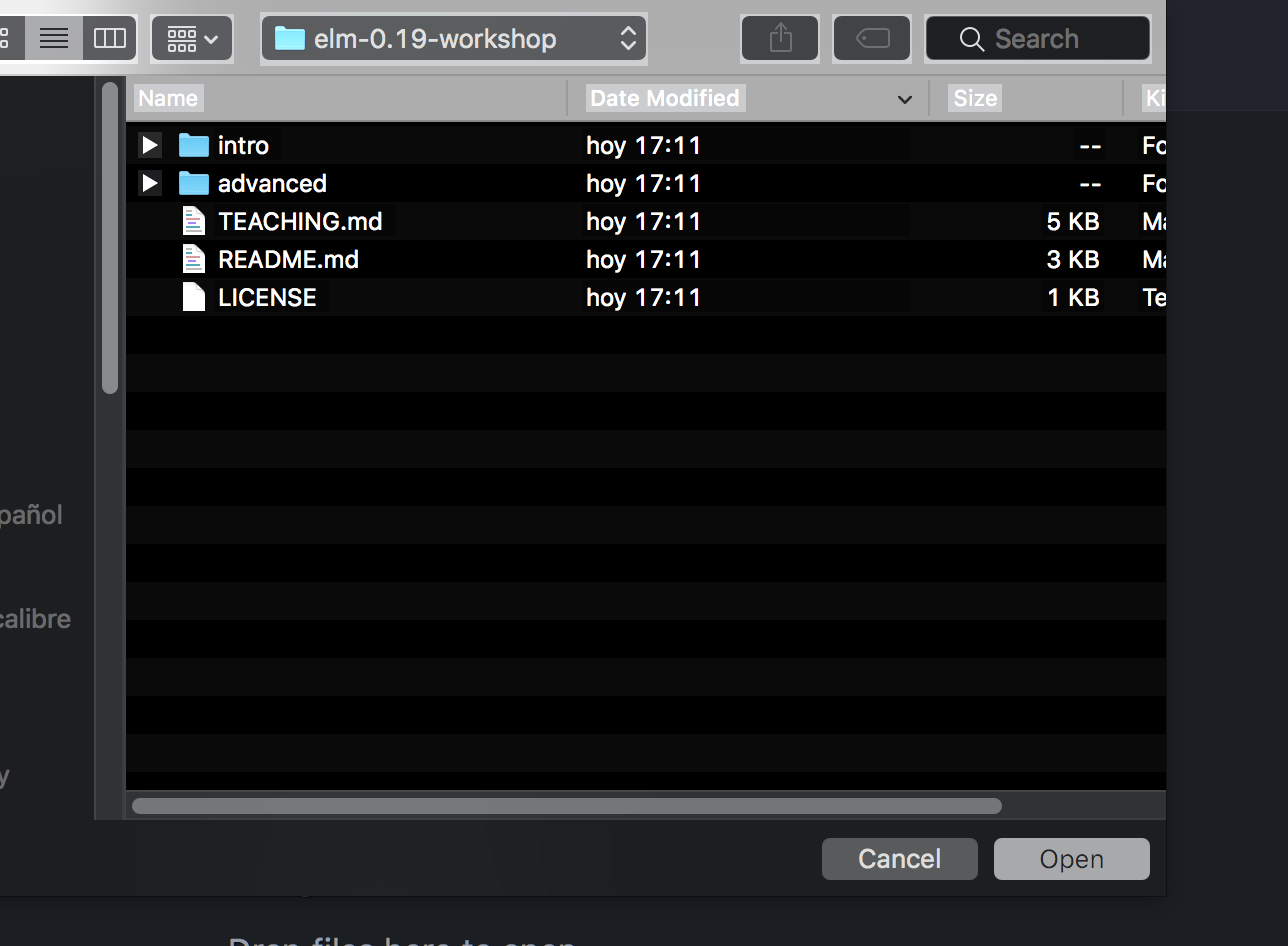
file chooser dialog box suddenly appears in reversed colors (MacOS 10.13.6)
Answered

I opened WebStorm to make a new project, and the file dialog box is now in reversed black and white (see image). I tested out some other programs on my Mac and their dialog boxes seem normal -- that is, this would seem to be a WebStorm only phenomenon The only thing I did since the last time I used WebStorm was to install elm, elm-test and elm-format to my Mac just now -- the first using an installer, the second using npm. Any idea what might be going on? It's disconcerting.
Please sign in to leave a comment.
Could you check if the problem persists when running IDE with default settings?
1. Disable settings synchronisation (if enabled) and quit IDE
2. Remove "~/Library/Preferences/<IDE_NAME><VERSION>" and "~/Library/Application Support/<IDE_NAME><VERSION>" directories (or temporarily move them aside to restore your settings afterwards)
Also, if you use Toolbox: under IDE runnable path, remove "<IDE_NAME><VERSION>.app.plugins" directory.
3. Start IDE (do not import settings) and check if the problem appears