Incorrect Run Configuration File Type (Jest/Node)

Problem: Running/Debugging a file intended to be a Jest spec file instead runs as a Node file
Setup
I have a jest spec file "Company.spec.js". It uses a shared file which exports a function to run shared specs.
The file ONLY executes this shared spec function.
Spec File:

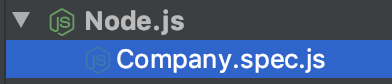
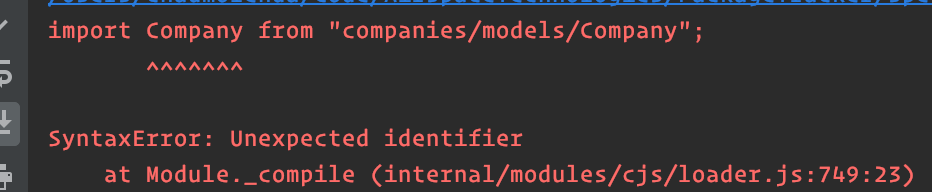
When I try to run the file, it generates a Run Configuration under the Node configuration types and is unable to run the spec (node uses CommonJS imports, which explains the error below)
Run Configuration (auto generated):
Run Error:
Workaround
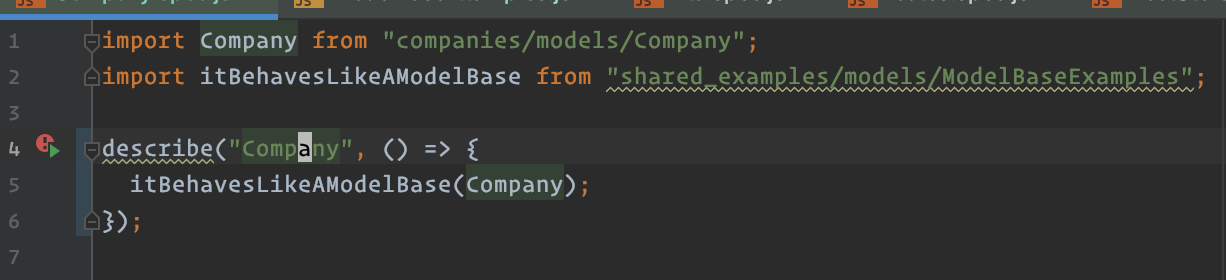
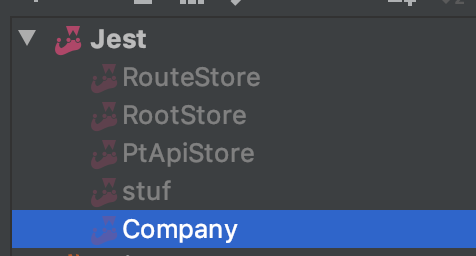
I can get RubyMine to run this file as a Jest spec if I wrap the use of the shared example function in a describe block.
Spec:
Run Configuration (auto generated):
I also tried deleting the auto generated NodeJS configuration and creating a manual Jest configuration, but when running it would ignore the Jest configuration and recreate the auto generated NodeJS configuration.
Please sign in to leave a comment.
Basically, WebStorm is statically analyzing the source code looking for known code patterns when detecting the test files. If a file is interpreted as test file, it's normally shown with special icon and added to Tests scope.
Not all code constructions are treated correctly - for example, file won't be recognized as a test file if tests/suites are wrapped in functions (https://youtrack.jetbrains.com/issue/WEB-35970) or their names are generated dynamically (https://youtrack.jetbrains.com/issue/WEB-35869, https://youtrack.jetbrains.com/issue/WEB-20442), etc.
Obviously, a file with a single custom function call doesn't match any known patterns, so the file is not recognized as a test file, and the only run configuration available in this file context is Node.js configuration