(Potential Bug) Auto Completion in HTML tags

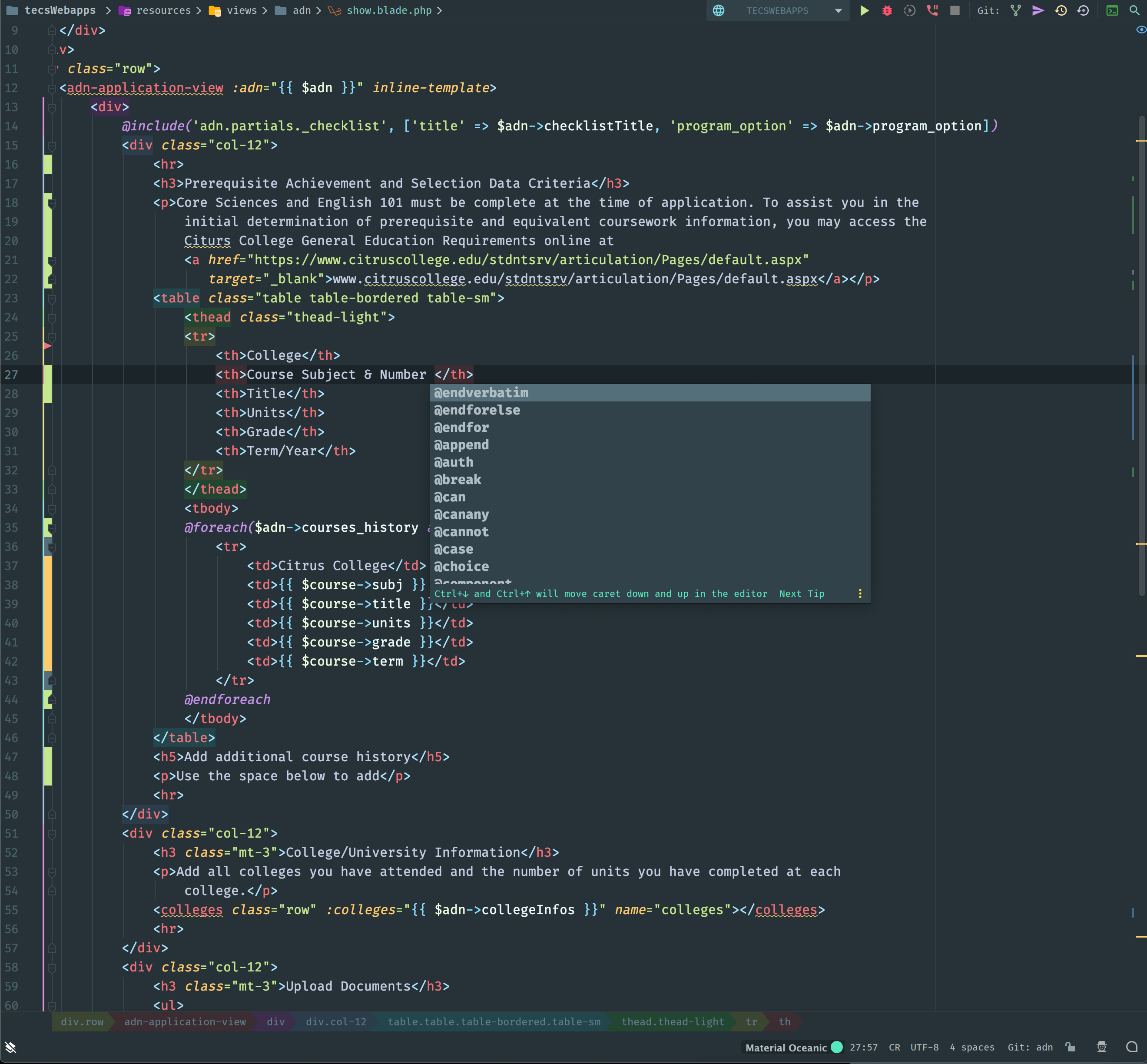
I am working on a Laravel project and noticed that recently when I'm typing inside any HTML tag like <p> or <h*> the auto completion window pops up after every "space" keydown. All the auto completion suggestions are blade directives. I do not recall this happening in the past. I attached a screenshot below showing what happens just after pressing the "space" key.
I tried looking for other settings outside of disabling Auto Completion and couldn't find anything that would fix the problem. Does anyone have any suggestions?
Please sign in to leave a comment.
What IDE version are you running? Please run File > Invalidate Caches/Restart > Invalidate and Restart and check the issue after that.
Does it happen every time, are you able to reproduce this at any time?
Dmitry, I ran the Invalidate and Restart tool and the problem still exists. I am on version PhpStorm 2019.2.4 Build #PS-192.7142.41, built on October 30, 2019. I found that if I disable the Blade plugin the problem goes away so it seems to be something with that.
Doesn't happen for me on the same version: https://recordit.co/LFNURvTbll
Please inspect your Code Completion settings, if everything's similar there to what I have, please disable all custom plugins (Settings | Plugins | Installed | Downloaded), restart the IDE and check how it goes.
If you still experience this afterwards, please submit the logs bundle (Help | Compress Logs...) within a support ticket.