Show Attribute Datatypes in the Database Panel
Answered

I, or an update, seem to have turned off the data type listing that used to exist in the Database panel.
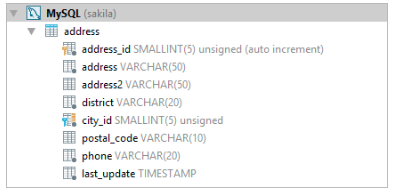
From the documents it used to look like:
Currently it looks like:
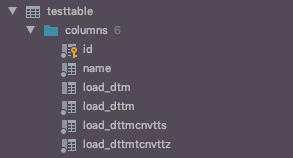
How may I change it back to reporting the datatype of each attribute?
Please sign in to leave a comment.
Hello, sorry for delayed answer. Please go to View -> Appearance and click 'Details in tree view'.
Hello Yuriy,
Sadly, I have tried that but it just isn't working in 2019.3 anymore. (using 2019.3.2 even)