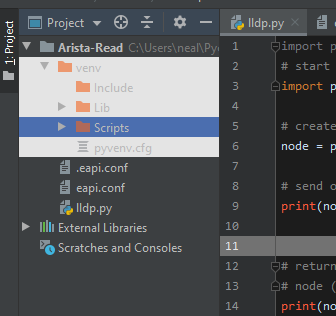
I changed the Project area color by mistake.

I changed the Project panel are background somehow (White Area). Can anyone give me a pointer were the color option is to change back?
Thanks
Neal
Please sign in to leave a comment.
That strange, I wasn't aware that you can change the colors outside of the editor without changing the whole theme.
Does it help to reset color scheme in [File | Settings | Editor | Color Scheme] to default?
Does it help to select some other theme in [File | Settings | Appearance & Behavior | Appearance] and then re-apply the previous one?