PyCharm Updates Fail to Install

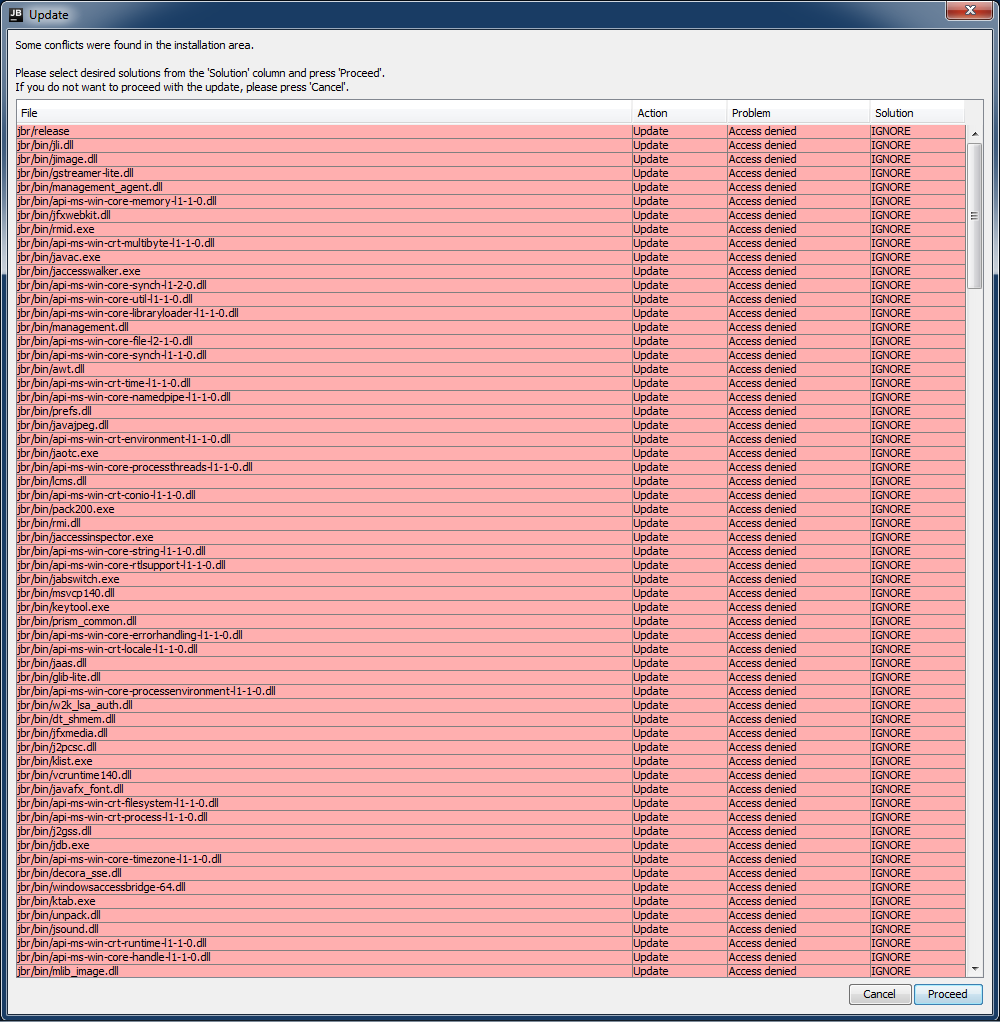
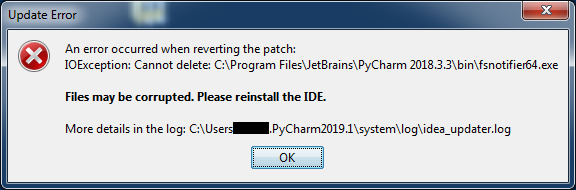
When I try to update PyCharm, the updates download but fail to install.
After looking through the log files, it appears that these are the updates which are failing to install:
- PY-192.6603.34-192.6817.19-patch-jbr11-win.jar
- PY-192.6817.19-192.7142.42-patch-jbr11-win.jar
- PY-192.7142.42-192.7142.56-patch-jbr11-win.jar
Here are my system details from the PyCharm about dialog:
PyCharm 2019.2.2 (Professional Edition)
Build #PY-192.6603.34, built on September 10, 2019
Licensed to XXX XXX
Subscription is active until January 11, 2020
For educational use only.
Runtime version: 11.0.3+12-b304.56 amd64
VM: OpenJDK 64-Bit Server VM by JetBrains s.r.o
Windows 7 6.1
GC: ParNew, ConcurrentMarkSweep
Memory: 1471M
Cores: 8
Registry: debugger.watches.in.variables=false
Non-Bundled Plugins:
I've uploaded the files below using the web form. Please let me know whether you're able to retrieve them, the upload system is a bit unintuitive:
- idea_updater.log
- idea_updater_error.log
Relevant Screenshots:

Please sign in to leave a comment.
Hi,
You seem to have permission issues with your file system.
Please try Completely removing installation directory and re-installing from scratch. If you still get the issue, it most likely means that the user under which you run the installer doesn't have write permissions to program files directory.