Find window shows no input and results
Answered

Since updating to version 2019 I have been running into an issue in all the IntelliJ software I use (PhpStorm, GoLand, DataGrip).
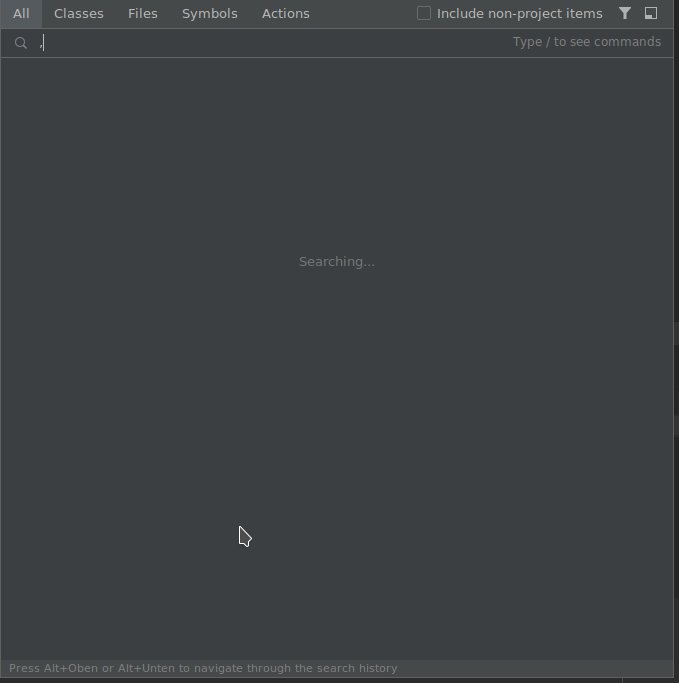
When I use the Find Window (Double shift) and type in the words I want to look for, my input doesn't appear or sometimes stops after the first letter. It also won't show any results for what I actually have typed in. And when I close the window and open Find again the words that I have previously typed are there and also the results.
This issue happens almost every second time I use the Find Window. I have attached a screenshot of when the input just stops.
Please sign in to leave a comment.
What is your keyboard layout? Have this happened before?
Hi!
This has not happened before. I am using US qwerty layout.
I have tried invalidating the cache of the software in the meantime but that didn't help.
In the the left bottom corner I can see "Press Alt+Unten", which means, somehow the layout is German. Could you please check this?
The key names are probably showing up in german because my system language is set to german. However my keyboard layout is as mentioned us qwerty.
Is there any update on this issue?
Hello,
Do you use KDE Plasma? This issue has recently been fixed: https://youtrack.jetbrains.com/issue/JBR-2111
While the fix hasn't been delivered yet, try the following workaround: https://youtrack.jetbrains.com/issue/JBR-1680#focus=streamItem-27-3913284.0-0
Yes I do!!
Thank you!
I decided to switch back to Gnome Desktop soon. As I have encountered few other issues with the IDE that might be caused by KDE Plasma...
T Limberger
Feel free to report those problems too. The best option would be to create a separate issue for each: https://youtrack.jetbrains.com/newIssue