PyCharm 2019.3 Tool Window padding/spacing?

Sometime during 2019.2.6 and 2019.3.3, the spacing in the Project Tool Window changed; it used to be tighter, but now there's lots of space in between individual items:
2019.2:
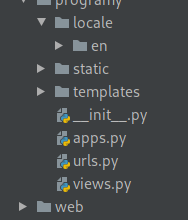
2019.3:
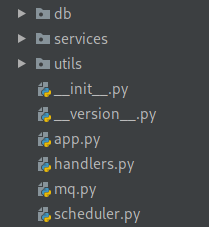
It's a fairly small change, but since my projects are relatively large, it means significantly more scrolling and less info shown on a single screenful
Is there a way to change this setting, or at least revert it to 2019.2?
Thank you!
Please sign in to leave a comment.
Looks like a known issue: https://youtrack.jetbrains.com/issue/IDEA-231685
It also has a workaround in the description.
Ah, tried googling around, didn't find this issue. The workaround helped, thanks!