Remote ssh debugging has disappeared

After a restart of PyCharm remote debugging option disappeared.
I have an Educational license.

Existing configuration for remote ssh debugging is showing as "incomplete"

And I can not create a new one for remote debugging:
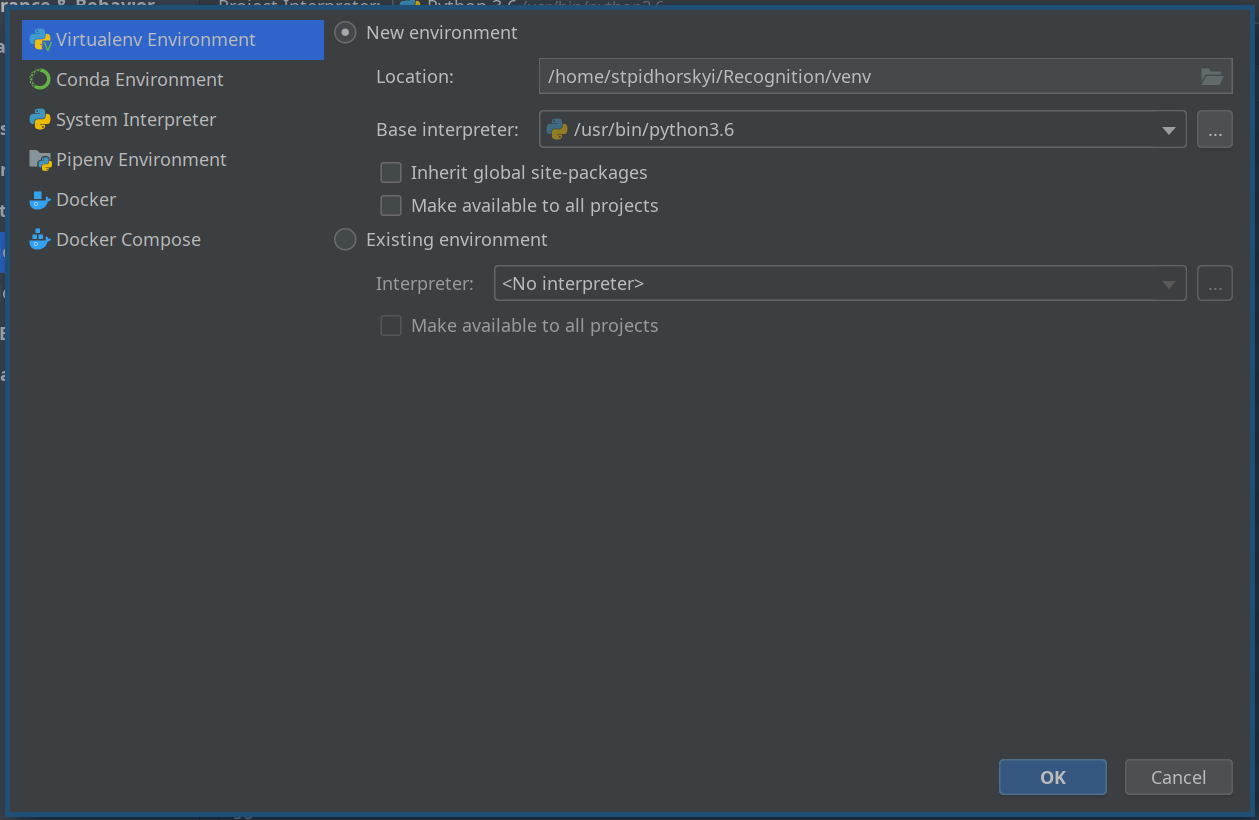
I've tried updating PyCharm, but that didn't help.
Same behavior if I create a new project.
PyCharm 2019.3.3 (Professional Edition)
Build #PY-193.6494.30, built on February 6, 2020
Licensed to Stanislav Pidhorskyi
Subscription is active until May 25, 2020
For educational use only.
Runtime version: 11.0.6+10-post-Ubuntu-1ubuntu118.04.1 amd64
VM: OpenJDK 64-Bit Server VM by Ubuntu
Linux 5.3.0-40-generic
GC: ParNew, ConcurrentMarkSweep
Memory: 725M
Cores: 12
Registry:
Non-Bundled Plugins: com.andrey4623.rainbowcsv, mobi.hsz.idea.latex, nl.rubensten.texifyidea
Thanks
Please sign in to leave a comment.
It did appear again only after I deleted settings: