Question: 1. Change Version Control Directory 2. <Projekt>
Answered

Hello everybody,
I'm quiet new to coding and of course Intellij IDEA, and GitHub.
What I'm trying to change is the Project on the left side of the screenshot and its path. I want to use the F:\java\Git\ directory a main-folder for all files I want to share.
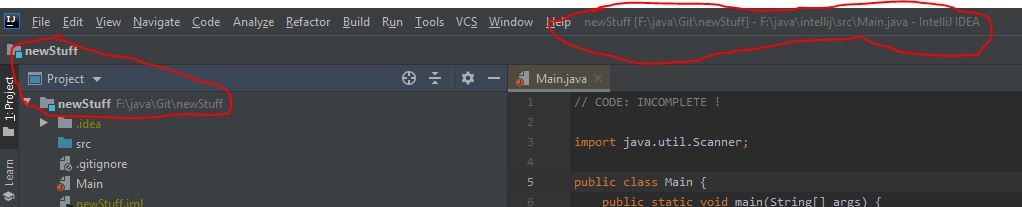
So I went to Settings -> Version Control, kicked the "newStuff" directory and changed it to F:\java\Git\, but now the directory is red and I don't know why. Also the path from the picture above is still the same.
As an additional question: What is the <Project> you see on the screenshot too?
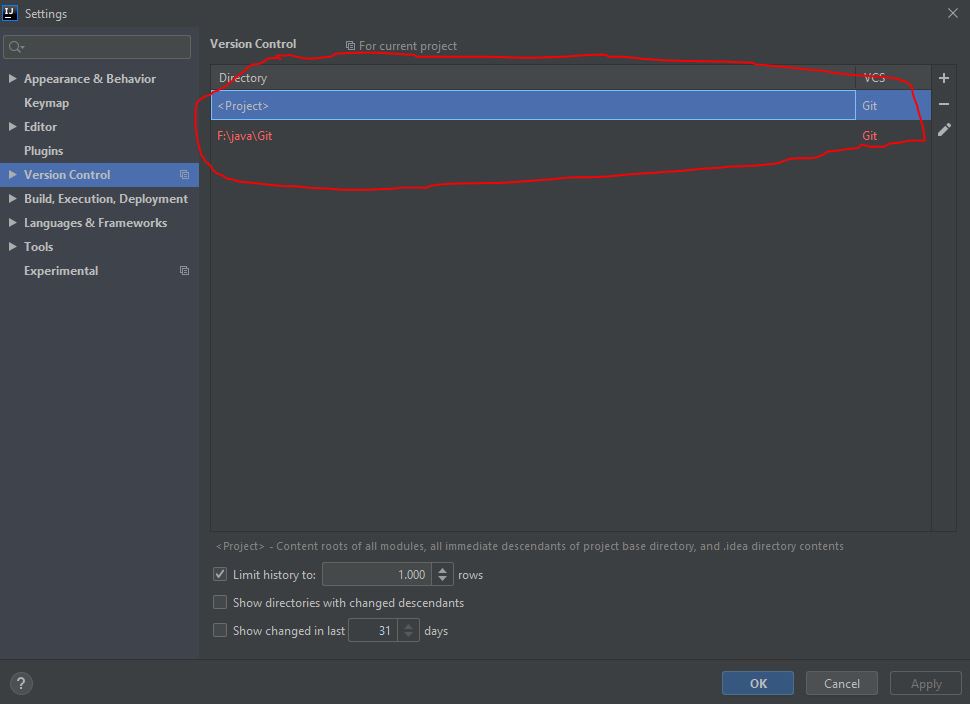
I already tried to gooole "Version Control directory is red" but this only brought me to an explanation about what the colors in general mean in IDEA.
Cheers
Lynx42
Please sign in to leave a comment.
Project means the directory where you have .idea subdirectory.
The directory in red means that you probably don't have a repository in this folder (.git subdirectory is missing).
See also https://stackoverflow.com/a/43319356/104891 regarding your main class issue.