Infinate Loading on Project, even on fresh install
Answered

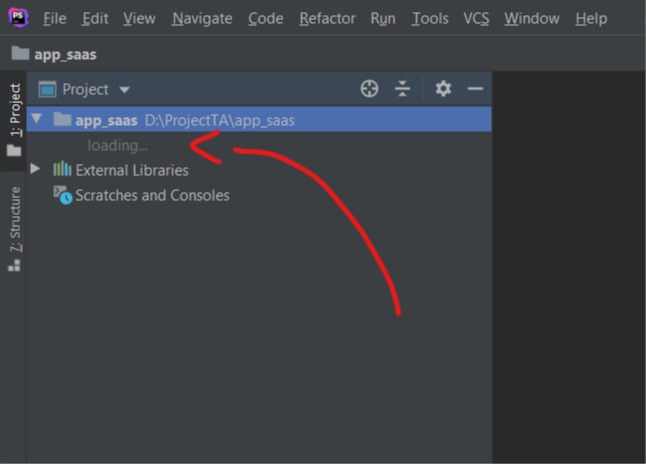
Hi I got stuck on opening my laravel project (size less than 300MB), the app just show loading below the project folder
I try to restart, and clean cache by clicking Invalidates Caches / restart, but still not woring
anyone can helps me ?
Thanks
Please sign in to leave a comment.
Needed to see if there is something in logs.
Please share the complete logs folder compressed including ThreadDump directory, after reproducing a problem: https://intellij-support.jetbrains.com/hc/en-us/articles/207241085
You can use any public cloud or our FTP server (https://intellij-support.jetbrains.com/hc/en-us/articles/206869619-Uploading-Large-Files-for-JetBrains-Support-Team)
Okay, here is the full log
https://drive.google.com/file/d/1UfbzeIyRjLsc3PCw5CrZgos28-AIkvtZ/view?usp=sharing
The error is
There are 2 similar reports:
https://youtrack.jetbrains.com/issue/IDEA-240034 - most probably caused by a .jar in a project with unusual entries.
https://youtrack.jetbrains.com/issue/IDEA-228441 - bug in IDEA platform which should have been fixed already.
Is it possible to check this error with the same project in IntelliJ IDEA (not PhpStorm)? Or maybe it is possible to share a sample project where the issue could be reproduced?
I try using IntelliJ IDEA to open my project and get same error as on PhpStorm
the strange thing is the error that produced the error on D:\ProjectTA\app_saas\storage\logs, is empty folder, yap, the logs folder is empty folder with no hidden file, just ..gitignore file
Please file an issue with a sample project attached on YouTrack: https://youtrack.jetbrains.com/issues with reference to this thread.