PyCharm, docker and nonstandard package instalation

Hi,
If you can help me with this ...
I am using PyCharm with python in docker. But PyCharm doesn't recognize packages installed in docker which are in non-standard location. The one in standard locations it recognizes just fine.
For example here, you can see how it does recognize webapp2, but not google:
I did manage to force it to recognize google package from python console because I added env var: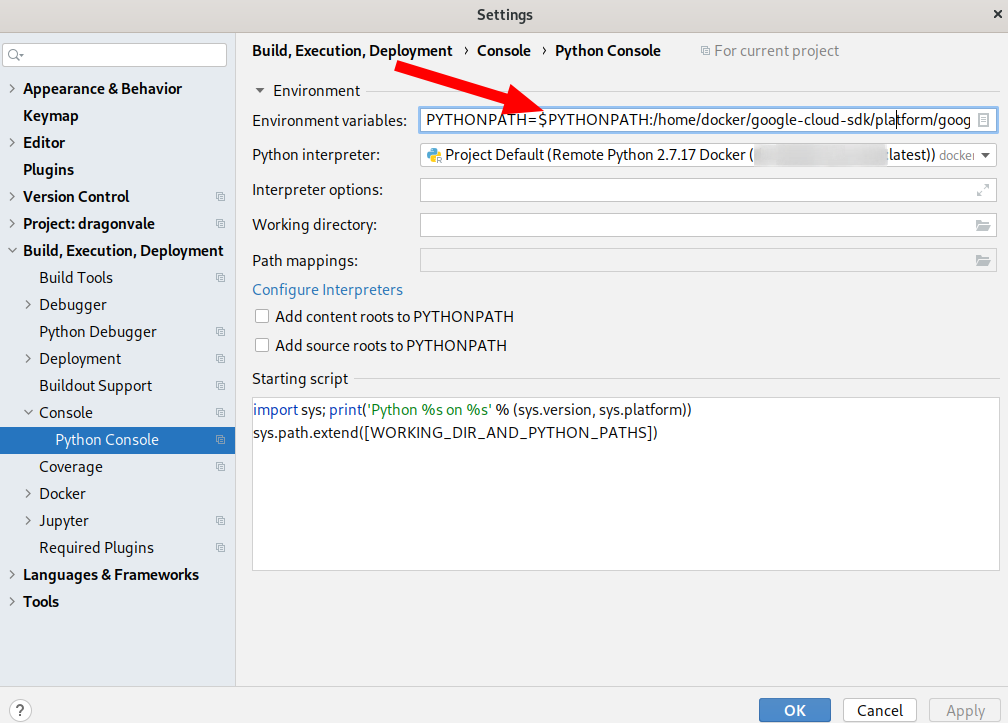
Because of the added env var it can import google package from the console: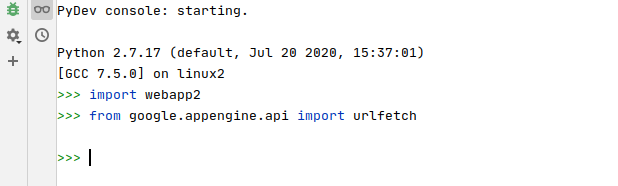
But still, it doesn't recognize it in the editor. How can this be fixed? Is there a workaround?
I did try "Invalidate cache/restart"
I also tried to add non-standard location where google-cloud-sdk is installed - but "+" (add) button doesn't work for docker (it works for local dev env), when I click on it - nothing happens: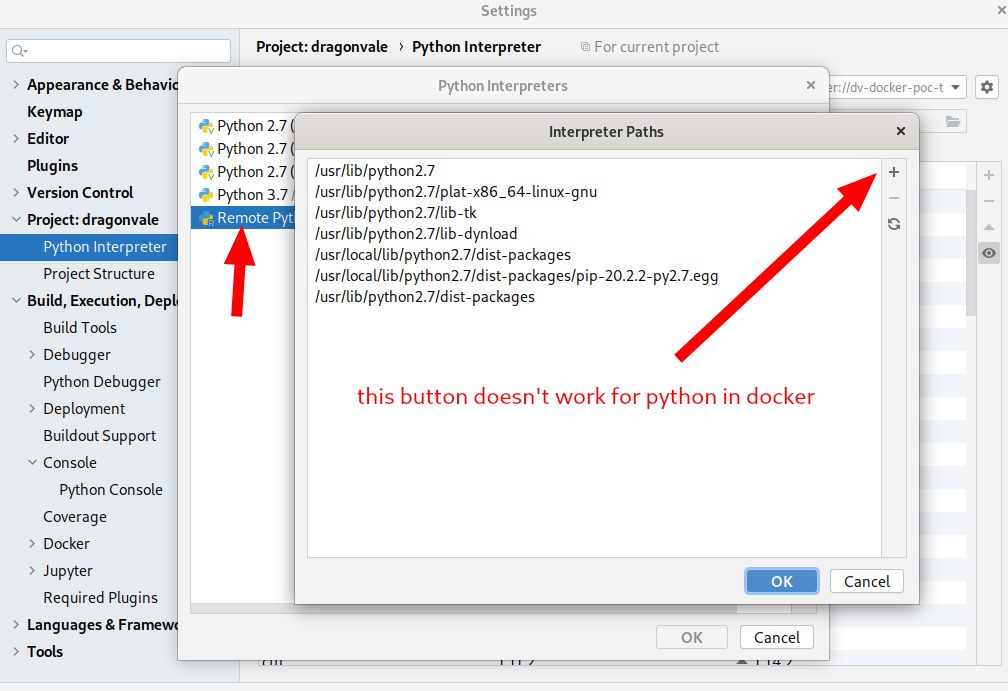
Please sign in to leave a comment.
Hello,
The Google App Engine is not supported in a Docker container, please vote for this feature request https://youtrack.jetbrains.com/issue/PY-32512 in order to increase its priority.
In addition, there is an existing bug that does not allow adding interpreter path when Docker is used, please see https://youtrack.jetbrains.com/issue/PY-26539
Apologies for the inconvenience.