Incomplete list of attributes/methods in console
Answered

Hi all,
When debugging using the console, the attributes of, let's say, a string are shown like:
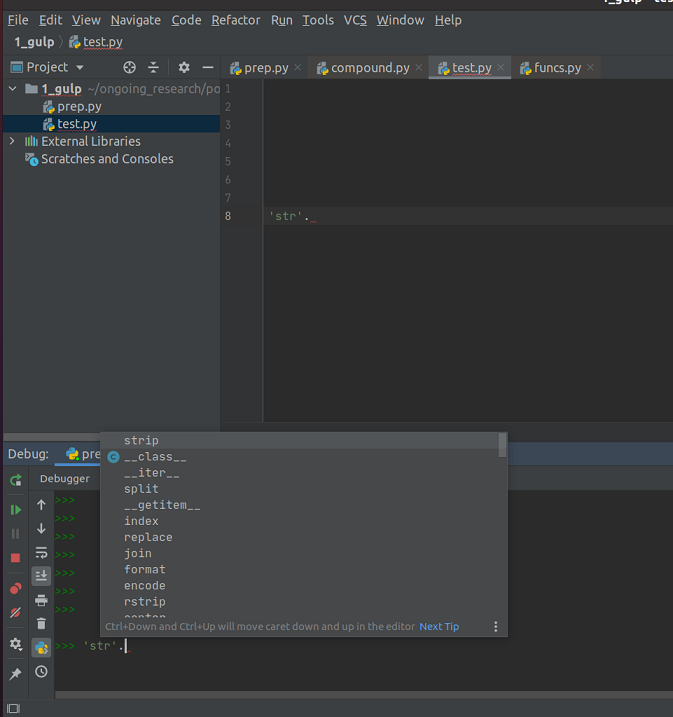
However, in the editor some extra information is provided and also there is function parentheses when an attribute is chosen:

How can I make the console one the same as what's shown in the editor? Note that they used to be the same and after installing some packages this started happening (I'm not sure which package).
I'm using pycharm 2020.2
Thanks,
Ali
Please sign in to leave a comment.
Hi,
It seems to be a regression in 2020.2.3 https://youtrack.jetbrains.com/issue/PY-45049
As a temporary workaround, you can downgrade to 2020.1.4
I'm sorry for the inconvenience.