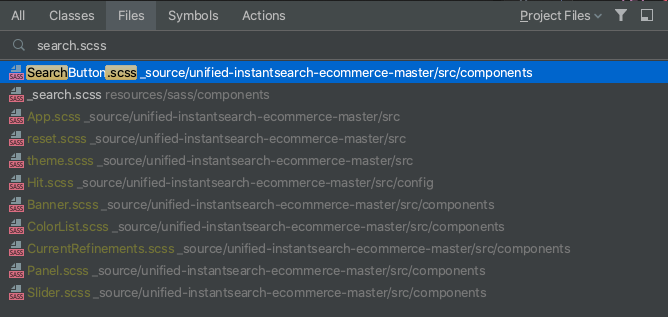
When looking for a SCSS file ignore the prefixed underscore

This only happens when I search for SCSS files.
I name all of my components with an underscore and mark my resource root as a resource folder.
Yet when I want to find search.scss I have to spell it out entirely then look down the list.
It works perfectly if I include the underscore but I'm so used to writing it without.
Is there a way to set up a preferred folder to search in?
I can search for contents in a specific folder but I can't look for a file.
In both cases, I had my resource folder highlighted in the Project panel and it still found results outside of my selection.

Please sign in to leave a comment.
>Is there a way to set up a preferred folder to search in?
You can create a new scope for your folder in Settings | Appearance & Behavior | Scopes and then choose this scope when navigating to file:
Interesting.
That does work, but It would still be faster for me to look through the list.