Project Interpreter Screen Has No Buttons At All

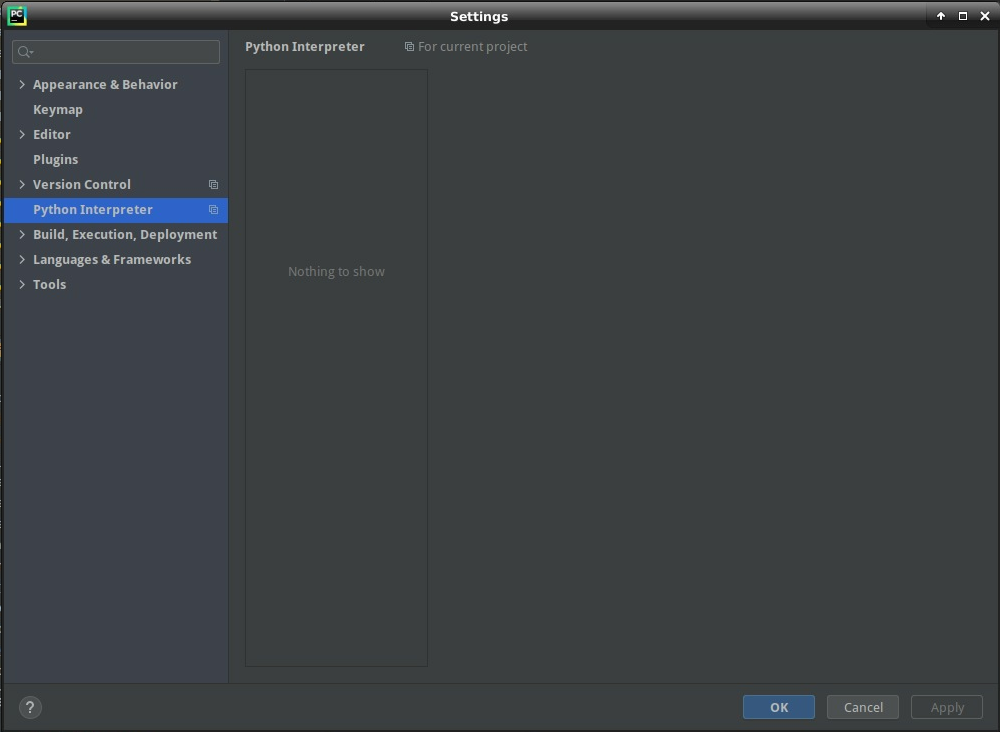
I'm running PyCharm 2020.2.3 Community Edition on a Google Cloud Platform n1-highmem-4 instance running Debian 10. I have Anaconda installed, and I want to point the Python Interpreter to the conda instance. But when I bring up the Settings menu item, and navigate to Python Interpreter, there are NO BUTTONS. Nothing. I can't do anything at all in this screen. Here's a screenshot. What's going on, here?
Please sign in to leave a comment.
Hello,
Please try to delete .idea folder inside the Project directory and reopen it in the IDE. Has it helped?
Hi, Antonina! Yes, that fixed the problem, thanks! I now have both the Interpreter and the Structure options underneath the Project item in Settings. This feels like a distinct bug to me. Either that, or there should be a message to the user to recommend deleting the .idea folder.
Thanks again!