P.S. If that will not help .. then you would need to delete the file actual config file (while IDE is closed). AFAIK such customisations are stored in options/customization.xml file .. and in theory just editing the file (removing certain attribute for that action) should bring the default icon back (there was similar kind of issue here on forum earlier this year I think).
It didn't help, even when uninstalling/installing IntelliJ. Actually the menus wasn't restored to default after uninstall/install process, so the configuration might be stored somewhere else.
I can not find the options/customization.xml file as suggested by Andriy
I finally downgraded to 2020.2.4. It is the only way I have found to get my precious icons back

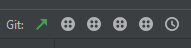
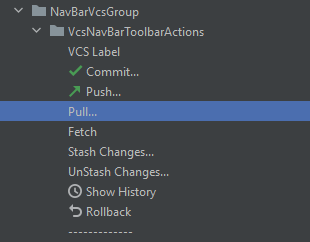
Hi there,
Try resetting your menus.
You can make backup first just in case: either via "File | Manage IDE Settings" or manually while IDE is closed (https://www.jetbrains.com/help/phpstorm/tuning-the-ide.html#config-directory).
P.S. If that will not help .. then you would need to delete the file actual config file (while IDE is closed). AFAIK such customisations are stored in options/customization.xml file .. and in theory just editing the file (removing certain attribute for that action) should bring the default icon back (there was similar kind of issue here on forum earlier this year I think).
Did you manage to fix the problem?
I tried to reset menus, as well as reinstalling IntelliJ, it didn't work.
I also deleted all configuration/caches/logs files as mentioned there: https://intellij-support.jetbrains.com/hc/en-us/articles/206544519-Directories-used-by-the-IDE-to-store-settings-caches-plugins-and-logs
It didn't help, even when uninstalling/installing IntelliJ. Actually the menus wasn't restored to default after uninstall/install process, so the configuration might be stored somewhere else.
I can not find the options/customization.xml file as suggested by Andriy
I finally downgraded to 2020.2.4. It is the only way I have found to get my precious icons back
Please try to invoke File > Manage IDE Settings > Restore Default Settings & check the problem after that.