Highlight on line number
Answered

Is there a possibility to activate the highligh on the line number or on the line itself?
How is it:
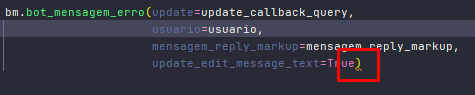
As I imagine it to be:

Please sign in to leave a comment.
You can click on the red area in the scroll pane, so the line with the error will be highlighted:
Yes, I use it too. But I think that if I showed myself next to the line number or overlapping the line number with an icon, it would be better. Because I was working on a 4000 line code and it is not possible to use the scroll to check the code.
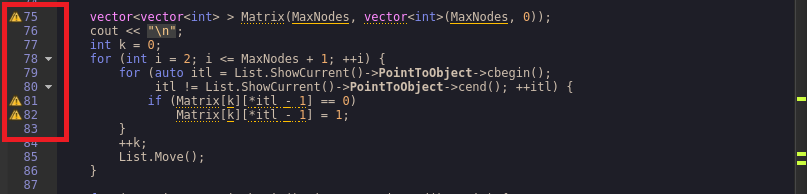
something like this image
but is there this option in the JetBrains IDE?
Gutter (space where line numbers are positioned) is already has a lot of icons: **Preferences | Editor | General | Gutter Icons**, that is why we do not plan to display information about warnings and errors here.
If the scroll pane is not an options, you can use the problems tool window for that:
No problem, is that for me, on a daily basis this model would be much more productive. I wouldn't be dependent on a scroll or a window with all the problems.
I felt this need after I bought an ultrawide monitor, to be very distant to look at scrolling and very controversial to have to stop coding to check an error window.
But without problems, if I see that I am not used to this way, I look for another IDE that I feel more comfortable to work with.