Not able to add breakpoints in a WSL Ubuntu distro project
Answered

Hello!
I have a project in a WSL 2 Ubuntu distro in which pydev debugger can't add breakpoints because doesn't find the file.

Path mappings are correct. 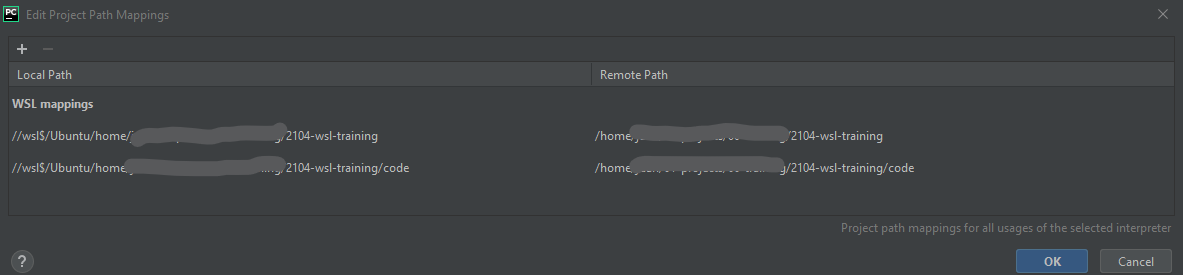
I have created a new Ubuntu distro and it works, with apparently the same settings, but no in my previous one.
All help is welcome. Thanks! have a nice day.
Please sign in to leave a comment.
UPDATE:- I have tried to create a new interpreter with the 2 ways (see link) in the problematic Ubuntu distro with no positive result:https://www.jetbrains.com/help/pycharm/using-wsl-as-a-remote-interpreter.html
- After adding the PYCHARM_DEBUG=True variable, the difference that I see in the logs is that the distro that doesn't work, seems to not be using the path mapping:
DISTRO THAT WORKS:
DISTRO DONT WORK:
Please file an issue to https://youtrack.jetbrains.com/issues/PY and attach your idea.log file from Help | Show Log in...
Done. https://youtrack.jetbrains.com/issue/PY-48415
Please, confirmed me this issue is only visible by JetBrains team. Thanks. Looking forward to an answer.
Confirmed.
Sergey Karpov @... do you have any updates on this? I do have the same issue