Cannot add nodes to a JTree inside my ToolWindow
Answered

Very new to developing on the Intellij Platform, and just trying to add a simple JTree to a ToolWindow. However, I cannot get the node binding to work. I'm sure I'm missing something easy, hoping someone can point it out to me.
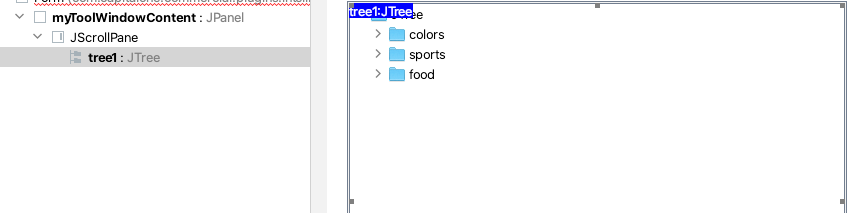
Here is the code:
public class MyToolWindow {

  private JTree tree1;
  private JPanel myToolWindowContent;

  public MyToolWindow(ToolWindow toolWindow) {
    DefaultMutableTreeNode top = new DefaultMutableTreeNode("The Java Series");
    //createNodes(top);
    tree1 = new JTree(top);
  }

  public JPanel getContent() {
    return myToolWindowContent;
  }
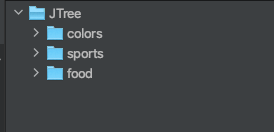
I expect to see just that top node when I run the plugin, however all I ever get is the boilerplate JTree:
Any help is appreciated.
Please sign in to leave a comment.
Found a solution that works for me:
I checked the "Custom Create" box, and then implemented the `createUIComponents` method in the code:
private void createUIComponents() {DefaultMutableTreeNode root = new DefaultMutableTreeNode("Root");
DefaultTreeModel treeModel = new DefaultTreeModel(root);
treeModel.setAsksAllowsChildren(true);
tree1 = new JTree(treeModel);
}
That gets me a base JTree configured however I need it. Then when my ToolWindow loads I can access the tree like this:
Not 100% sure that is the best practice way, but its working for me.