Is there a action in IntelliJ IDEA similar to 'Show All Editors' in VSCode?
Answered

There is a command 'showAllEditors' in VSCode, which can display all the opened tabs in the list view, so can search and switch to a specific tab directly.
This approach is accurate and fast, especially when there are many tabs.
Is there a corresponding action in IntelliJ IDEA?
If so, which one?
If not, is there an alternative solution?
Please sign in to leave a comment.
Try switcher or Recent files for that
@Konstantin Annikov
It is true that it can be replaced in some cases, but it is not equivalent. In many cases, there are obvious differences.
It seems that there is no such mechanism.
May you elaborate on that? What is missing, or what scenarios are not covered?
@Konstantin Annikov
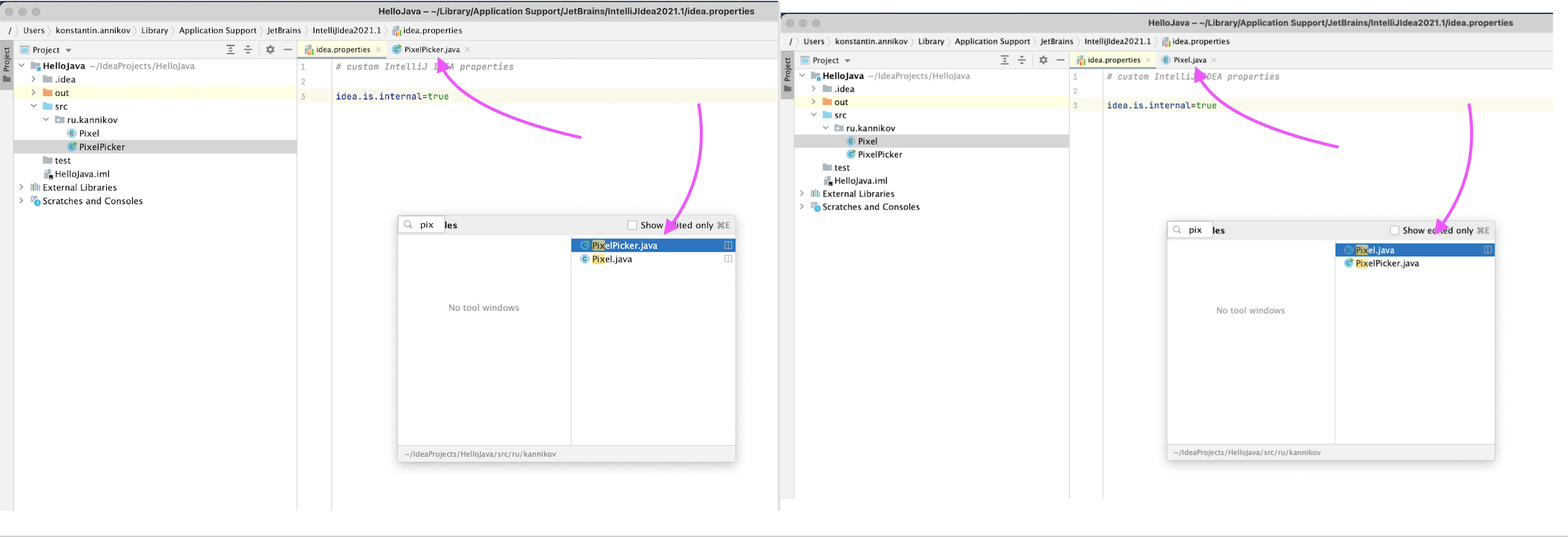
Let's take the most common example : currently there are multiple tabs and README tab respectively in the editor, if it is the mechanism in VSCode, then typing 'README' will locate the opened tab with certainty, but with the two mechanisms mentioned above, it will most likely locate the other closed 'README'.
"Recent files" dialog gives a priority to opened files: