Code Completion not working

I edit a lot of HTML in PHP files. Used to be that when I would write an opening DIV tag, the close-div would appear after I closed the starting div (">").
But now I'm not getting any code completion. This seems to have begun in the update before 2021.1.3
Please sign in to leave a comment.
Does it happen in .html files, or in .php, etc.? Can you repeat the issue in a new project?
Is Insert closing tag on tag completion enabled in Settings | Editor | General | Smart Keys | HTML/CSS? Please share a screenshot of this page
I'm having this same issue. I'm running PhpStorm 2022.3 Build #PS-223.7571.212.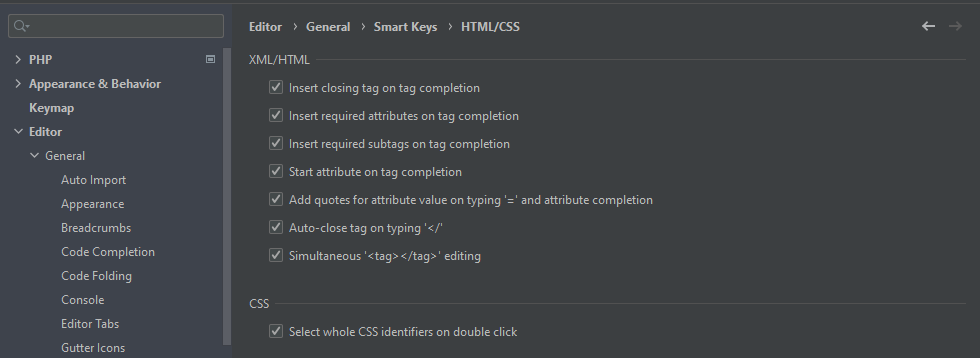
Dpham, does this also not work for you in an empty HTML file?
Yes, also doesn't work on empty HTML file in PhpStorm. I also have another instance of PhpStorm installed recently (the past week) on a laptop and it doesn't work there either. I've not changed any settings related to this in the new install.
I also have PyCharm and it works just fine.
I compared the settings between PhpStorm and PyCharm for Editor > General and Editor > General > Smart Keys and they are the same. Don't know why it works in one but not the other.
Just as a sanity check - is this right that when you create a new HTML file and type
<divin there, on typing>, the closing tag doesn't appear?If that is correct, could you please submit your logs (Help | Collect Logs and Diagnostic Data) in a support ticket (Help | Contact Support)?
That is correct. I've submitted a support ticket # 4539573