Disable Icons in Project Panel

Hi,
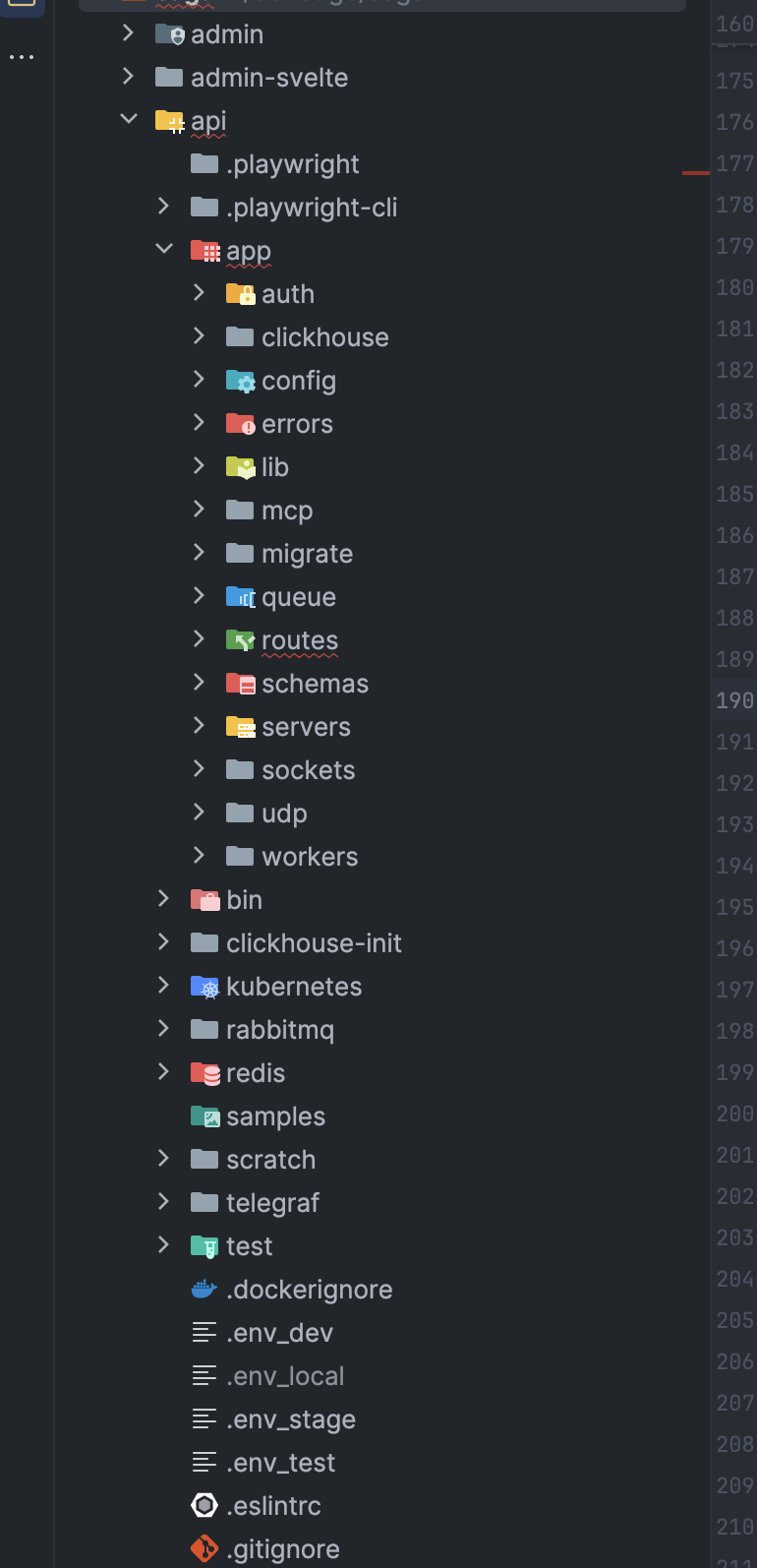
I am using Webstorm 2026.1.3, how can I remove the icon zoo in my project view, too many colors and variances, why is routes green?? → to distracting. I am using One Dark Modern, but it seems those icons are baked into WS as any theme has the same icons. Just the name, no icon would be my pref.
Thanks,
Stan
Please sign in to leave a comment.
Hello! You are using a third-party plugin that provides these bright icons (e.g., Atom Material Icons, Material Theme UI, etc.). Please check `Settings > Plugins`.
Right! The icons come from One Dark Modern even so it's not the selected Theme, one has to disable / uninstall the Theme to disable it's icons. I do like One Dark a lot.
That's a bug, non selected Themes should not affect UI.
It's a third-party plugin. You should report the issue directly to its developers. You can find contacts here: https://plugins.jetbrains.com/plugin/12178-one-dark-modern-theme.
Done!